

Consider sitting at your desk, surrounded by messy notes, papers, and books. You have a project due in a week, and you can't remember where you read that crucial information to help you complete it. You want to start organizing your notes, but first, you must locate that information.
Your stress levels rise as you realize you must read through all these notes to find the answer. Could you reduce the chaos and disorganization of note-taking and make it easier to find, manage, and organize information? Building a second brain can help you achieve precisely that.
In this guide, we'll explore how to build a second brain and introduce the second brain code, a concept developed by Tiago Forte to help you quickly and effectively manage your digital notes. We'll also show you how to make and manage notes with AI to relieve stress and improve productivity.
Constella's AI notes manager can help you organize your notes so you spend less time searching for critical information and can easily hit your deadlines. With AI, you can quickly make sense of your messy notes, locate the necessary information, and even automate the organization of your notes.
What is Tiago Forte's Method of Building a Second Brain?

The C.O.D.E. Framework: What Is It?
The C.O.D.E. framework is a simple process for building a Second Brain to help you remember and organize the information that matters most. C.O.D.E. stands for Capture, Organize, Distill, and Express. This framework outlines the steps to get you from information overload to creative output.
Capture: Keep What Resonates
The first step in the C.O.D.E. process is to capture information. But this isn’t about collecting every single piece of data you come across. Instead, it’s about keeping what resonates with you. This is an entirely personal process, as what you might find interesting, helpful, or inspiring could be altogether different from someone else.
So, ask yourself what stands out as you come across different snippets of information—from a book, podcast, YouTube video, or even a conversation. You’ll want to look for information that sparks your curiosity or connects with a project you’re working on or a goal you want to achieve.
Organize: Save for Actionability
The next step in the C.O.D.E. process is to organize your notes. At this stage, it’s not about creating a perfect system. Instead, it’s about getting your information into a structure that allows you to take action when the time comes.
For example, if you’ve captured notes from a business podcast related to your current project, you might want to move them into a folder or document specific to that project. If you’ve organized your Second Brain well enough, you’ll be able to find this information again quickly when you need it.
Distill: Find the Essence
Next, you need to distill your notes. This step helps you find the essence of what you’ve captured. Continuing with the previous example, you might discover that the business podcast contained actionable steps to improve team dynamics. Distilling your notes would involve summarizing these steps in your own words to improve your understanding and make them easier to implement.
Express: Show Your Work
The final step in the C.O.D.E. process is to express what you’ve captured, organized, and distilled. This might involve sharing your findings with a colleague to improve project outcomes or creating a blog post to share your insights with others. Either way, expressing your work will help reinforce what you’ve learned and enhance your creative output.
Benefits of Using the Tiago Forte Code Method for Building a Second Brain

Our Brains Can’t Handle the Complexity of Modern Life
Today's world is whole of information. Our lives are more complex than ever. Our work involves more knowledge than a single person can master. Of course, there's technology to help us manage this complexity. But the truth is that technology still relies on us to organize and make sense of its output. The problem is that our fragile brains are overwhelmed by all the details we need to remember to get through our days—and they aren't equipped for it.
Our heads aren’t meant to store every detail. Instead, use a notes app to unload. "Your mind is for having ideas, not holding them." — David Allen, author of Getting Things Done. "Paper is to write down things that we need to remember. Our brains are used to think." — Albert Einstein.
Business Information is an Asset
With a second brain, you can organize your notes to turn information into a valuable business asset. A collection of notes can help you remember important details from meetings, why decisions were made, and research, and save time communicating.
A Second Brain Saves Us Time and Money
Research from Microsoft shows that the average US employee spends 76 hours per year looking for misplaced notes, items, or files. A report from the International Data Corporation found that 26% of a typical knowledge worker’s day is spent looking for and consolidating information spread across various systems.
You may email yourself a quick note, underline passages in a book, and use a post-it here or there, but that information remains disconnected and scattered. "There is a gaping opportunity to consolidate our information into one searchable, accessible, easily shared and embedded amongst the digital text we consume" — Craig Mod.
Notes Have Significant Value Over Time
When you write things down, you give your future self a gift. Think of yourself not just as a taker of notes but as a giver of notes. You are giving your future self the gift of knowledge that is easy to find and understand. Pieces of knowledge can be combined into something much more significant — a report, an argument, a proposal, a story.
Writing Helps You Understand Yourself
Personal information like your thoughts, reflections, and memories is one of the most valuable things to keep. We can use note-taking to document our lives and better understand how we became who we are. At the core of building a second brain is cultivating self-awareness and self-knowledge. When you encounter an idea that resonates with you, it is because that idea reflects something already within you.
Capturing Knowledge Helps Other People
The purpose of knowledge is to be shared. What’s the point of knowing things if you can’t share them with others who will also benefit personally? With mere words, you can pay forward some of the immense care that has been poured into you by a lifetime of parents, teachers, and mentors, and you can open doors to unimaginable horizons for the people around you. "Your singular perspective may patch some small hole in the vast tattered fabric of humanity." — Ryder Carroll, the Bullet Journal Method creator.
Related Reading
- Second Brain Examples
- How to Build a Second Brain
- Second Brain Notion Template
- Roam Research vs Obsidian
- Notion vs GoodNotes
How to Build a Second Brain Using Tiago Forte Code

1. Utilize Constella as Your Second Brain
Get familiar with Constella. This innovative note-taking tool features an infinite canvas for capturing and connecting ideas smoothly. Constella is powered by an AI search that makes finding information instantaneous.
Use Constella to build and navigate your Second Brain without the constraints of traditional folder structures. It’s perfect for busy knowledge workers and researchers limited by conventional note-taking tools. Constella transforms how you capture, find, and connect your ideas. Research 10 times faster with Constella's AI notes manager.
2. Determine What Information to Capture
Before building a Second Brain, determine what information you want to capture. Think about your Second Brain as an intimate commonplace book or journal. What do you most want to capture, learn, explore, or share? Identify two to three kinds of content you already value to get started.
3. Choose a Capture Tool
Start with a digital tool to help you capture and store information for your Second Brain. I recommend beginning with a read-later app such as Instapaper or Pocket to save any articles or other online content you’re interested in for later review. Believe me, this one step will forever change your thoughts about consuming content.
4. Set Up PARA
Next, set up your Second Brain with the PARA method. Create the four folders of PARA (Projects; Areas; Resources; Archives) and, focusing on actionability, create a dedicated folder (or tag) for each of your currently active projects. From this point forward, capture notes related to those projects. Check out this blog post for an introduction to the PARA system.
5. Identify Your Favorite Problems for Inspiration
Get inspired by identifying some of your favorite problems. Make a list of twelve, save it as a note, and revisit it whenever you need ideas for what to capture. Use these open-ended questions as a filter to decide which content is worth keeping.
6. Automate Capturing Your E-Book Highlights
Set up an integration to automatically send highlights from your reading apps (such as a read-later or e-book app) to your digital notes. Tools like Readwise or IFTTT make this easy.
7. Practice Progressive Summarization
Progressive summarization helps you unpack and understand dense notes. To practice, summarize a group of notes related to a project you’re currently working on using multiple highlighting layers. See how it affects the way you interact with those notes.
8. Experiment with Just One Intermediate Packet
Choose a project that might be vague, sprawling, or simply hard, and pick just one piece to work on—an Intermediate Packet. Maybe it is a business proposal, a chart, a run of show for an event, or key topics for a meeting with your boss. (Check this blog post for more examples of Intermediate Packets.) Break the project down into smaller pieces, make a first pass at one of the pieces, and share it with at least one person to get feedback.
9. Make Progress on One Deliverable
Choose a project deliverable you’re responsible for and use any workflow and express techniques outlined here. See if you can make decisive progress using only the notes in your Second Brain. These techniques are designed to help you execute your projects more effectively. They are standardized procedures to move faster, save your progress, and produce work of higher quality.
10. Schedule a Weekly Review
Put a weekly recurring meeting with yourself on your calendar to begin establishing the habit of conducting a Weekly Review. To start, just clear your notes inbox and decide on your priorities for the week. From there, you can add other steps as your confidence grows.
11. Assess Your Notetaking Proficiency
Evaluate your current note-taking practices and areas for potential improvement using our free Productivity Potential Quiz.
12. Join the PKM Community
Follow and subscribe to thought leaders on Twitter, LinkedIn, Substack, Medium, or your platform(s) of choice and join communities creating content related to personal knowledge management (#PKM), #SecondBrain, #BASB, or #toolsforthought.
7 Best Tools for Building a Second Brain
1. Constella: The Future of Note-Taking
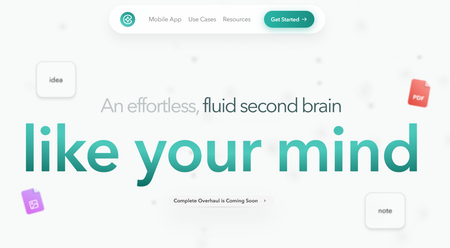
Forget everything you know about traditional note-taking apps. Constella reimagines the experience with an infinite canvas that lets you capture and connect ideas effortlessly, powered by an AI search that makes finding information instantaneous.
The Constella AI assistant helps you build and navigate your knowledge base without the constraints of traditional folder structures. It’s ideal for researchers trying to draw connections across numerous papers or anyone who wants a more intuitive way to organize their thoughts and files.
Constella transforms how you capture, find, and connect your ideas, making it perfect for busy knowledge workers and researchers limited by conventional note-taking tools. Research 10 times faster with Constella's AI notes manager.
2. Notion: The Flexible Powerhouse
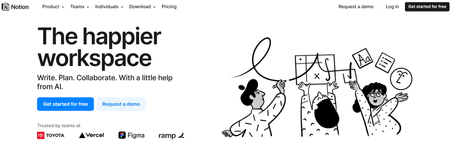
Notion is among the most popular second-brain software tools, mainly due to its flexibility and alignment with Tiago Forte's concepts. Notion includes a web clipper, allowing you to collect information from the web. It can also integrate with services like Readwise, helping you gather content from books, articles, conversations, and more. Notion even uses AI, letting you access helpful web resources directly within the platform.
These capture tools are available on various devices, making them highly versatile. This is still growing in use cases, but it can be helpful. Once you’ve gathered your information, Notion provides extensive ways to organize and structure it into projects, categories, or areas. Its flexibility in setting up your account means you can implement methods like PARA (Projects, Areas, Resources, Archives) for efficient storage and organization.
Pros
- A flexible workspace for a range of media
- Optional views for managing databases
- Free and unlimited blocks
- Always adding new features
Cons
- It can be difficult to learn
- Does take time to set up and organize
3. Obsidian: The Private Note-Taking App
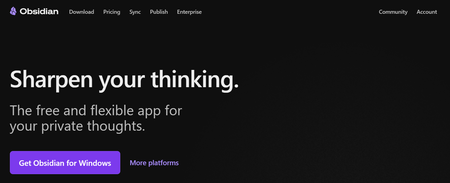
Obsidian describes itself as a private and flexible writing app. For many, Obsidian is the best PKM-focused second brain app, combining the potential of networked thought with the traditional note-taking feel. These are commonly referred to as PKM tools, and we've listed many of them because they make nice second brain apps.
Obsidian balances Evernote and Notion in terms of complexity, but for many Second Brain adopters, using Obsidian's features like graph view (for viewing how notes connect), backlinks (for connecting notes), and canvas (below) is a welcomed set of advanced note-taking features for going deeper with ideas.
Pros
- Comes with PKM abilities
- Powerful graph view for networked notes
- Obsidian adds new features fairly regularly
- You can switch features on and off.
- Free & easy access
Cons
- Lacks project management
- Does not have database abilities
4. Logseq: The Open-Source Alternative
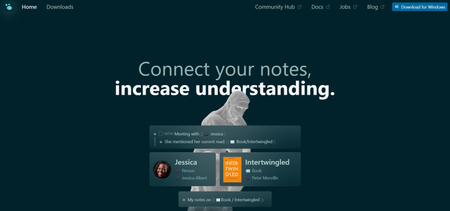
Logseq is very much like Obsidian. Its focus is on advanced note-taking, which many people like for research, in-depth teamwork, or personal knowledge bases. Logseq has many abilities that extend the tool's nature, like flashcards and a whiteboard, allowing you to bring to life existing notes and craft them more suitably for your Second Brain.
Consider using the flashcard functionality to resurface notes you want to remember, not only for an exam but also for future recall. This feature could be beneficial. One of the other tempting elements is that privacy is a key focus on Logseq. You can also store your information and notes offline or locally—better for those sensitive to their Second Brain being in the hands of others.
Pros
- Powerful PKM application
- Comes with whiteboards for visual thinkers
- Perfect for students making flashcards
- Well-built too and works offline
Cons
- Can be difficult to learn and implement
5. Mem Notes: AI Integration for Your Notes
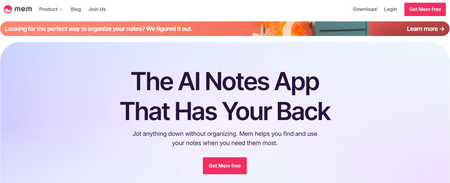
Mem is a strange note-taking application focusing more on your connection with notes and AI technologies. It uses your notes and brings them into a chat-like experience to help you communicate with your notes and AI for better output.
For example, you can add many notes about your day-to-day business operations and then ask your notes questions like "What do you think the biggest issue is with how I do things?" This will help compile a recommended answer based on all your notes.
Pros
- Designed for busy professionals
- Comes with a document-like experience
- Good for AI-based note-taking
Cons
- Can be difficult to learn at the start
- Many people can do these abilities with free PKM apps
6. Workflowy: The Outliner Approach
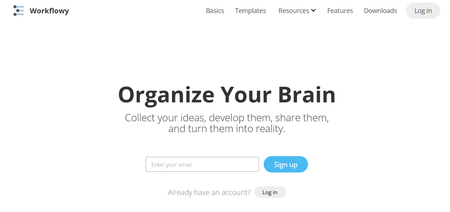
Workflowy wants you to organize your brain by using an outliner concept. Unlike the second brain app on this list, Workflowy uses outliner, text-based notes that expand as you click into them. This concept has evolved into full-fledged note apps, but people still use and love simple and nested notes designed to be more organized.
Workflowy has Kanban boards, tags, and live copy features, which all help you expand notes. You can use this outliner to bring and capture your best ideas, thoughts, and notes into a tidier system than your first glance. It's worth looking at for more simple second-brain use.
Pros
- Great for people who like outliners
- Perfect for less media-focused individuals
Cons
- Harder to learn and implement
7. Amplenote: The GTD Note-Taking Tool
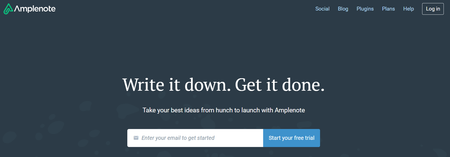
Amplenote is a GTD dream. People love Amplenote's combination of notes, tasks, and calendar management. The note-taking abilities are excellent, despite the design not being as "sexy" as apps like Notion or Obsidian. The software works well to balance those three parts of your productivity and house them in one. The ability to backlink, connect tasks, and capture allows for a super second-brain layout.
For housing everything, Amplenote is a great tool that works like Evernote but with more superpowers packed in. For those who have used Evernote and want an alternative to it, Amplenote is one of the best ones—and it presents a good house for your Second Brain with intense stuff like linking notes and bonuses like task management, too.
Pros
- Combines tasks, notes & calendar
- It comes with a daily note feature called Jots
- Designed for individuals looking for an Evernote replacement
- It has many GTD-like features for managing the workload
- The task score feature is brilliant for prioritizing tasks
Cons
- Can be too intense to learn for some people
- The design isn't as attractive
Related Reading
- Roam Research Alternatives
- Amplenote vs Notion
- NotePlan Alternative
- Amplenote vs Obsidian
- Heptabase vs Obsidian
- Notion vs Evernote
Research 10 Times Faster with Constella
Constella reimagines note-taking with an infinite canvas that lets you capture and connect ideas effortlessly. Whether you're a researcher trying to draw connections across numerous papers or someone who wants a more intuitive way to organize your thoughts and files, Constella's AI assistant helps you build and navigate your knowledge base without the constraints of traditional folder structures.
Constella transforms how you capture, find, and connect your ideas, perfect for busy knowledge workers and researchers limited by conventional note-taking tools. Research 10 times faster with Constella's AI notes manager.
Related Reading
Want more insights like this?
Subscribe to get short productivity tips and useful summaries of new tools every week.
Want more insights like this?
Subscribe to get short productivity tips and useful summaries of new tools every week.


