

Have you ever lost track of important notes and files stored in your digital devices? Or felt overwhelmed by the sheer volume of information you encounter daily? With a structured approach to personal knowledge management, you can organize, connect, and retrieve information when needed.
Second Brain apps assist with this process by acting as your external digital memory, allowing you to store and sort information in a way that mimics your brain’s natural organization. This blog will explore the importance of Second Brain apps for Personal Knowledge Management and examine how AI note-makers like Constella’s can help you achieve your goals, such as recalling information instantly and reducing the clutter in your digital life.
One of the most valuable tools for reaching your objective is Constella’s AI notes manager. This innovative app helps you quickly organize your notes and files to locate relevant information.
What Does Second Brain Mean

A second brain is a digital system for storing, organizing, and retrieving information. A second brain is not meant to hold on to everything like a physical brain. Instead, it retains only what is helpful to you. A second brain helps you offload information so you can stop stressing over what to remember and instead focus on what matters: your work.
How to Build A Second Brain in 12 Steps

1. Capture Your Thoughts with Constella
Constella reimagines note-taking with an infinite canvas that lets you capture and connect ideas effortlessly, powered by AI search that makes finding information instantaneous. Whether you're a researcher trying to draw connections across numerous papers or someone who wants a more intuitive way to organize your thoughts and files, Constella's AI assistant helps you build and navigate your knowledge base without the constraints of traditional folder structures. Constella transforms how you capture, find, and connect your ideas, perfect for busy knowledge workers and researchers limited by conventional note-taking tools. Research 10 times faster with Constella's AI notes manager.
2. Determine What You Want to Capture
Think about your Second Brain as an intimate commonplace book or journal. What do you most want to capture, learn, explore, or share? Identify two to three kinds of content you already value to get started with. For an extended intro to capturing and taking digital notes, check out this workshop covering how to capture and save the best information you consume each week.
3. Choose a Capture Tool
I recommend starting with a read-later app such as Instapaper or Pocket to save any article or other online content you’re interested in for later consumption. Believe me, this step will forever change your thoughts about consuming content.
4. Get Set Up with PARA
Set up the four folders of PARA (Projects, Areas, Resources, Archives) and, focusing on actionability, create a dedicated folder (or tag) for each currently active project. Focus on capturing notes related to those projects from this point forward. Check out this blog post for an intro to the PARA system.
5. Get Inspired by Identifying Your Twelve Favorite Problems
Make a list of your favorite problems, save it as a note, and revisit it whenever you need ideas for what to capture. Use these open-ended questions as a filter to decide which content is worth keeping.
6. Automatically Capture Your Ebook Highlights
Set up an integration to automatically send highlights from your reading apps (such as a read-later or ebook app) to your digital notes. Tools like Readwise or IFTTT make this easy.
7. Practice Progressive Summarization
Summarize a group of notes related to a project you’re currently working on using multiple layers of highlighting to see how it affects how you interact with those notes.
8. Experiment with Just One Intermediate Packet
Choose a project that might be vague, sprawling, or simply hard, and pick just one piece to work on—an Intermediate Packet. Maybe it is a business proposal, a chart, a run of show for an event, or key topics for a meeting with my boss. (Check this blog post for more examples of Intermediate Packets.) Break the project down into smaller pieces, make a first pass at one of the pieces, and share it with at least one person to get feedback.
9. Make Progress on One Deliverable
Choose a project deliverable you’re responsible for and use any workflow and express techniques outlined here. See if you can make decisive progress using only the notes in your Second Brain. These techniques are designed to help you execute your projects more effectively. They are standardized procedures to move faster, save your progress, and produce work of higher quality.
10. Schedule a Weekly Review
Put a weekly recurring meeting with yourself on your calendar to begin establishing the habit of conducting a Weekly Review. To start, just clear your notes inbox and decide on your priorities for the week. From there, you can add other steps as your confidence grows.
11. Assess Your Notetaking Proficiency
Evaluate your current note-taking practices and areas for improvement using our free Productivity Potential Quiz.
12. Join the PKM Community
Follow and subscribe to thought leaders on Twitter, LinkedIn, Substack, Medium, or your platform(s) of choice and join communities creating content related to personal knowledge management (#PKM), #SecondBrain, #BASB, or #toolsforthought.
Related Reading
- PKM Tools
- Personal Knowledge Management Tools
- Second Brain Method
- Heptabase Alternative
- Zettelkasten Note Taking
28 Best Second Brain Apps for Efficient Note-Taking
1. Constella: An Innovative Note-Taking App That Uses AI to Help You Build a Second Brain Faster
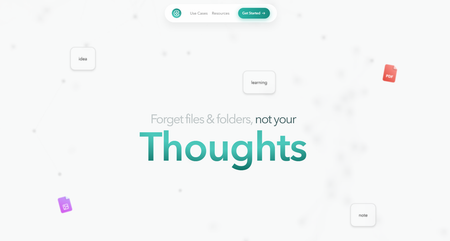
Constella reimagines note-taking with an infinite canvas that lets you capture and connect ideas effortlessly, powered by AI search that makes finding information instantaneous. Whether you're a researcher trying to draw connections across numerous papers or someone who wants a more intuitive way to organize your thoughts and files, Constella's AI assistant helps you build and navigate your knowledge base without the constraints of traditional folder structures.
Constella transforms how you capture, find, and connect your ideas, perfect for busy knowledge workers and researchers limited by conventional note-taking tools. Research 10 times faster with Constella's AI notes manager.
2. Bear: A Flexible Note-Taking App for Mac and iOS
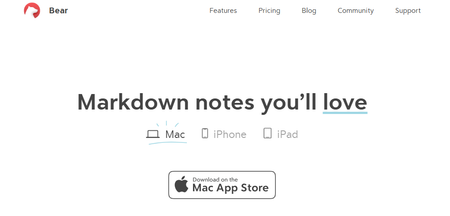
Bear is a flexible note-taking app for macOS and iOS that features rich text editing, organization tools, and markdown support. Users can create notes in various formats, including text, images, links, and files, and organize them using tags, folders, and search functionality. Bear also offers themes, focus mode, and encryption for secure note-taking.
3. Workflowy: A Simple Outlining Tool for Capturing and Organizing Ideas
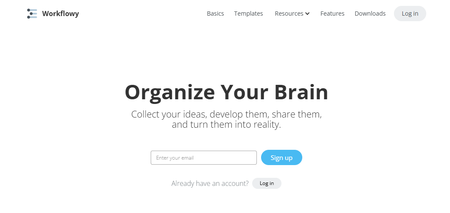
Workflowy is a simple yet powerful outlining tool that helps users hierarchize their thoughts and ideas. Users can create lists and sublists to break down complex concepts into manageable chunks and easily rearrange and expand them. Workflowy also offers features like tags, search functionality, and collaboration tools for sharing and editing lists with others.
4. Devonthink: A Comprehensive Document Management Tool for Mac
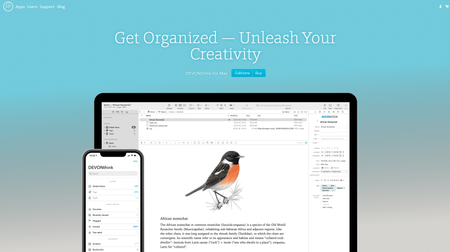 Devonthink is a document and information management tool for macOS that helps users collect, organize, and search their files and notes. Users can import documents, emails, web clippings, and more into Devonthink and manage them using folders, tags, and metadata. Devonthink also offers features like AI-powered searching, smart groups, and synchronization across devices for easy access to information.
5. Turtl: An Open-Source Note-Taking App Focused on Security
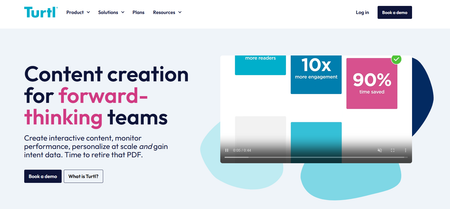
Turtl is an open-source, secure, and encrypted note-taking app focusing on privacy and collaboration. Users can create and organize notes, bookmarks, and passwords in a secure vault and share them with others using end-to-end encryption. Turtl also offers features like tags, search functionality, and synchronization across devices for easy access to information.
6. Notion: An All-in-One Personal Knowledge Management Tool
The notion is an all-in-one personal knowledge management tool for teams and organizations. It helps you collectively build a simple and valuable knowledge base with your team. In addition to text, it allows you to add or drag and drop images, videos, audio files, and even link pages in your knowledge base. From managing client data and brainstorming ideas to tracking project milestones, Notion AI makes finding relevant information from your base easy. I also love how the AI writing tool provides note-editing and summarizing capabilities to enhance your knowledge base.
Notion's best features
Share knowledge, assign tasks, and collaborate in real-time with built-in tools for teams and projects. Create and link structured databases to manage projects, track clients, and organize resources—access 20,000+ templates for creating company wikis, meeting notes, etc.
####Notion limitations
Limited functionality without an active internet connection hinders productivity during travel or outages. Using Notion’s mobile app might feel clunky and slow.
7. Bloomfire: A Scalable Knowledge Management Platform Powered by AI
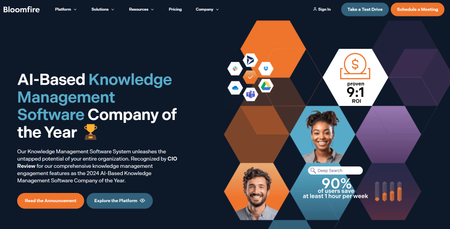
Bloomfire is a scalable AI-driven knowledge management platform for small to multinational enterprises of all sizes. Designed to centralize and democratize information within organizations, the platform helps professionals efficiently gain, organize, and share knowledge. How? Through building secure and searchable repositories. It provides content authoring and moderation tools to ensure only the most relevant and accurate content is published, enabling your teams to make reliable data-driven decisions.
Bloomfire's best features
Find relevant information with the advanced search functionality that indexes every word in all types of content, including videos. Promote knowledge sharing and collaboration through interactive discussions and forums. Track engagement metrics and gain insights into content performance with the dedicated analytics suite.
Bloomfire limitations
The search feature can display too many results, leaving users confused. No free trial or version is available.
8. Evernote: A Comprehensive Personal Knowledge Management Tool
Evernote is a comprehensive personal knowledge management (PKM) and note-taking tool designed to help professionals capture, organize, and access information smoothly across devices. As the name suggests, it lets you jot down random thoughts and store important files and documents to develop a knowledge base. What I like about Evernote is its functionality to record audio notes for personal and professional purposes.
Evernote's best features
Digitize physical documents directly into Evernote to easily access relevant documents, papers, and lists. Quickly locate information within your notes using natural language queries. Easily sync data across devices to access it anytime from anywhere.
Evernote limitations
Some users find the mobile app less user-friendly than the desktop version. The free version offers a limited storage capacity.
9. Obsidian: A Powerful Markdown-Based PKM Tool
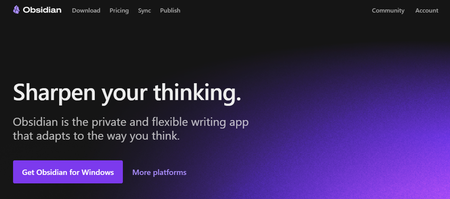
Obsidian is a powerful, markdown-based personal knowledge management (PKM) tool designed to help students effectively organize and connect their ideas. The app lets you jot down notes and graphically visualize their relationships. Whether building a personal wiki, creating mind maps, or developing a second brain, Obsidian offers unparalleled flexibility and control, making it a standout choice for students seeking to better their productivity and learning. Apart from building a personal knowledge base and wiki, I also like how Obsidian doubles as knowledge-sharing software, letting you publish personal wikis securely on the web.
Obsidian's best features
Brainstorm, research, and map out your ideas with the Canvas feature. Extend functionality with community-created plugins or personalize the interface to match your workflow and preferences. Keep your data secure on your device and access it anytime, even without an internet connection.
Obsidian limitations
Extensive customization options and markdown syntax may feel overwhelming for beginners. Obsidian focuses on individual workflows with no built-in team collaboration features.
10. Roam Research: A Note-Taking Tool Designed for Networked Thinking
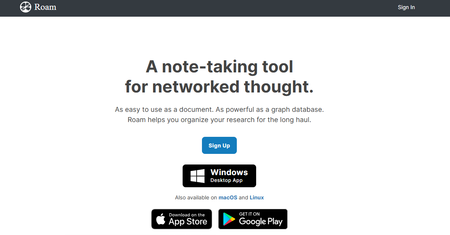
Another great note-taking PKM tool is Roam Research. Popular among researchers, writers, and lifelong learners, this tool is designed for non-linear thinking and idea organization. Roam helps students create a ‘networked thought’ system, connecting concepts and notes to mirror how the brain naturally works. Bidirectional linking on Roam enables you to create a web of interconnected notes and quickly identify relationships between disparate pieces of information.
Roam Research's best features
Generate a daily note to help you keep track of your thoughts and ideas on a day-to-day basis. Refer to and reuse pieces of text across different notes. Store your notes as plain text files, making it easy for you to read and share them.
Roam Research limitations
Roam Research’s design is not aesthetically pleasing. Some users may find its pricing costlier than other tools due to the free options.
11. RemNote: A Note-Taking App That Uses Spaced Repetition to Help You Retain Information
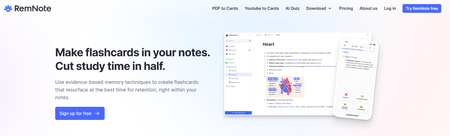
RemNote is a note-taking and knowledge management app that uses spaced repetition to help users retain and recall information more effectively. Users create and organize notes using a hierarchical structure and review them using a built-in spaced repetition algorithm. RemNote also offers features like backlinks, flashcards, and collaboration tools for sharing and editing notes with others.
12. Beargle: A Note-Taking App That Combines Notes, Tasks, and Bookmarks
Beargle is a personal knowledge management tool that combines note-taking, task management, and bookmarking features in a single app. Users can create and organize notes, tasks, and bookmarks in a unified interface and customize them with text, images, and links. Beargle also offers features like tags, search functionality, and synchronization across devices for easy access to information.
13. Standard Notes: A Secure and Encrypted Note-Taking App
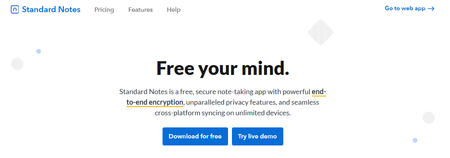
Standard Notes is an encrypted note-taking app that prioritizes security and privacy while offering markdown support and collaboration features. Users can create and organize notes in a secure vault and sync them across devices using end-to-end encryption. Standard Notes offers features like tags, search functionality, and customization options for a personalized note-taking experience.
14. Mem.AI: An AI-Powered PKM Tool for Personal Knowledge Management
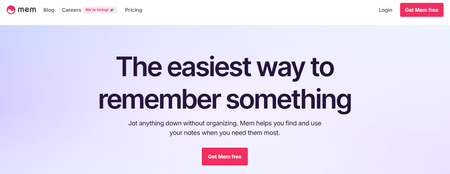
Mem.ai is an AI-powered personal knowledge management tool for researchers, managers, content creators, and entrepreneurs. Think of this AI tool as your assistant—it organizes your notes, summarizes insights, drafts tailored content, and digs up answers to your questions. In addition, the platform integrates with various productivity tools, allowing users to consolidate information from different sources into a unified workspace.
Mem.ai's best features
Automatically categorize and link related notes through AI to discover connections. Effortlessly retrieve information based on context and content through advanced search capabilities. Manage complex data with a user-friendly interface.
15. The Brain: A Visual Mind-Mapping Software to Organize Your Thoughts
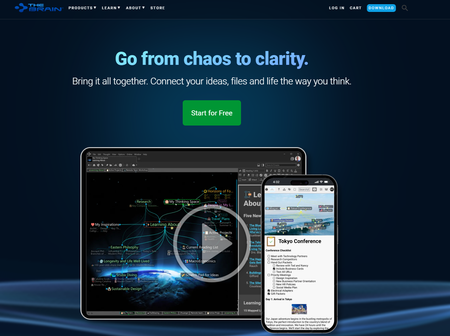
The Brain is a dynamic mind-mapping software that allows users to organize and connect their thoughts and ideas visually. Users create a network of interconnected nodes (thoughts) and link them together using relationships like parent-child, sibling, and jump thoughts. The Brain also offers features like tags, search functionality, and visualization options to help users explore and navigate their thoughts.
16. Guru: An AI-Powered Knowledge Management Tool for Teams
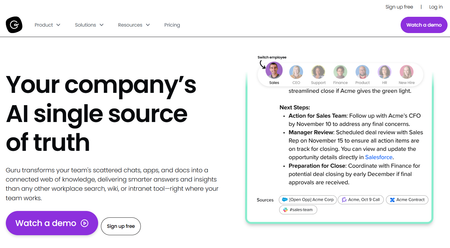
Guru is an AI-powered knowledge management platform that converts your company’s collective knowledge into a single, centralized, and up-to-date Wiki for your employees. The AI search feature provides instant, personalized responses to your employees’ questions, enabling them to get back to their assigned tasks with clarity. Guru allows teams to maintain a single source of truth, ensuring that information is accurate, up-to-date, and easily retrievable—integral to improving operations and making informed decisions.
Guru's best features
Create a personalized intranet that serves as a centralized hub for company information. Connect to your existing apps, chats, and documents through A.I Provide role-based access control functionalities.
Guru limitations
Guru provides limited customization options compared to other software. There are chances of outdated or duplicate content with the growth of the knowledge base.
17. Document360: A Knowledge Base Tool for Creating User Manuals and SOPs
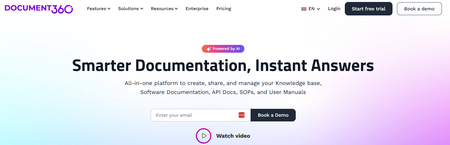
Another all-in-one workspace software for building customizable knowledge bases is Document360. This software helps you personalize your knowledge base with branded colors. It helps create dynamic, searchable, multilingual user manuals, SOPs, how-to guides, and other documents. Ideal for professionals seeking to streamline documentation processes, Document360 offers a user-friendly interface that caters to technical and non-technical users. Plus, it gives AI functionalities to simplify tackling all documentation needs.
Document360 best features
Improve the context and relevance of documentation with real-time AI feedback. Get insights into user behavior and content effectiveness to optimize knowledge management strategies. Connect with popular tools like Slack, Microsoft Teams, Zendesk, and Intercom to build a cohesive workflow across platforms.
Document360 limitations
A few features are only available through costly add-ons. New users might require time to fully leverage the platform’s extensive capabilities.
18. Dynalist: A Simple Outliner for Organizing Your Thoughts
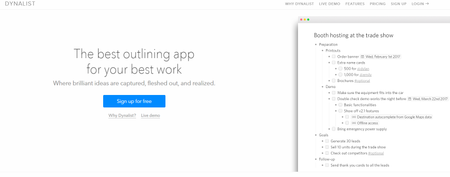
Dynalist is an outlining and organizational tool that helps users capture and structure their ideas, tasks, and projects in a hierarchical format. Users create lists and sublists to organize their thoughts and quickly expand and collapse them as needed. Dynalist also offers features like tags, search functionality, and collaboration tools for sharing and editing outlines with others.
19. MyMind: A Simple PKM App for Capturing and Organizing Ideas
MyMind is a personal knowledge management app that focuses on simplicity and ease of use, allowing users to capture and organize their thoughts and ideas. Users can create and manage notes, lists, and tasks using tags and folders. MyMind also offers features like search functionality, customization options, and synchronization across devices for easy access to information.
20. Logseq: An Open-Source PKM Tool for Organizing Your Notes in a Graph

Logseq is an open-source note-taking and knowledge management app that uses a graph database to help users organize and connect their notes. Users create and link notes together using markdown and visualize their connections using graph view. Logseq also offers features like backlinks, search functionality, and synchronization across devices for easy access to information.
21. Heptabase: A Visual Note-Taking App for Bringing Ideas Together
Heptabase is a visual note-taking app designed to help you bring ideas together in a canvas view. It allows you to add and link notes, which is popular with researchers and students. Heptabase is perfect for visual thinkers & those who want to get into PKM. It balances both worlds well with a canvas mode that allows you to add ideas by dragging them together, much like apps like Miro and Milanote. Hetpabase even has some project management abilities like Kanban view, which people will like if they want more structured ways to manage their knowledge base. It creates a different yet great PKM for visual thinkers and those who like open-plan ways of bringing ideas together. If you're a researcher, student, or visual thinker, Heptabase is a must-try. The application perfectly bridges the gap between handling notes in a PKM style whilst still being able to express them in a whiteboard fashion.
22. Trilium Notes: A Hierarchically Structured Note-Taking App
Trilium Notes is a powerful note-taking and knowledge management app with hierarchical organization, tagging, and rich text editing. Users can create and organize notes hierarchically and link them together using relationships like parent-child and sibling. Trilium Notes also offers features like search functionality, customization options, and synchronization across devices for easy access to information.
23. QOwnNotes: A Free, Open-Source Note-Taking App
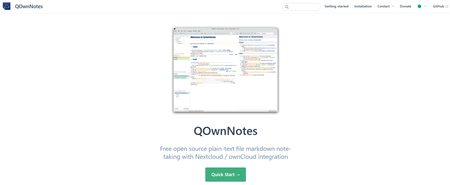
QOwnNotes is a free, open-source note-taking app that offers markdown support, tagging, and encryption features for secure note-taking. Users can create and organize notes using markdown syntax and customize them with tags and categories. QOwnNotes also offers features like search functionality, synchronization across devices, and integration with cloud storage services for easy access to information.
24. WikidPad: A Wiki-Based PKM Tool for Creating Interconnected Notes
WikidPad is a wiki-based personal knowledge management tool that allows users to create and organize interconnected notes using a wiki-style interface. Users create pages for each idea or information and link them together using hyperlinks. WikidPad offers features like search functionality, tagging, and customization options for a personalized wiki experience.
25. Joplin: An Open-Source Note-Taking and To-Do App
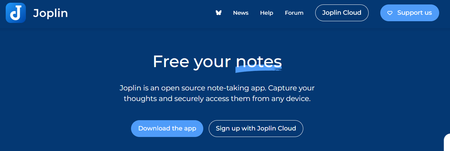
Joplin is an open-source note-taking and to-do app that offers end-to-end encryption, synchronization, and markdown support. Users can create and organize notes using markdown syntax and synchronize them across devices using encryption. Joplin also provides features like tags, search functionality, and collaboration tools for sharing and editing notes with others.
26. OneNote: A Digital Notebook for Organizing Notes and Ideas
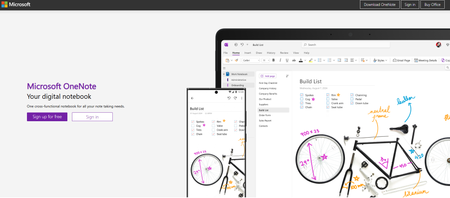
OneNote is a digital notebook app from Microsoft that allows users to capture, organize, and share notes, ideas, and information. Users can create notebooks, sections, and pages to manage and customize their notes with text, images, and more. OneNote also offers features like tags, search functionality, and collaboration tools for sharing and editing notes with others.
27. Capacities: An Object-Based Approach to Note-Taking and PKM
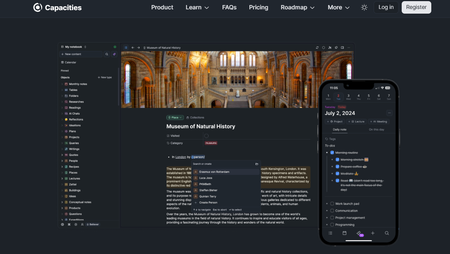
Capacities is a note-taking tool for PKM that uses object types to organize how you structure your knowledge base. It is popular with busy professionals and those who want to manage their notes utilizing this system. Capacities introduce an innovative object-based approach to note-taking and PKM, organizing information around distinct knowledge units or 'objects.'
This approach allows for a more flexible and intuitive way of handling data, appealing to many knowledge workers. Capacities' integrated knowledge framework supports a more holistic view of personal and professional knowledge, making it an ideal tool for those seeking an adaptable and comprehensive knowledge management solution.
28. Reflect Notes: A Note-Taking App That Organizes Meeting Notes from Google Calendar
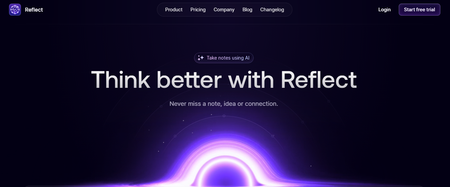
Reflect Notes is a note-taking app that handles notes and tasks and organizes your upcoming meetings from Google Calendar as notes for agendas and more. It is also focused on secure note-taking with E2E encryption. Reflect Notes integrates artificial intelligence to streamline the management of notes, meeting notes, and ideas, making it an intelligent companion for those seeking efficiency.
Its user-friendly design makes the integration of AI into everyday knowledge management smooth and approachable. The AI's ability to provide intelligent summaries and insights is a game-changer, allowing users to save time while enhancing the overall productivity of their knowledge management efforts. As a PKM tool, Reflect Notes sits between a traditional tool and a PKM app, allowing you to have the traditional feel of Evernote but the potential of Obsidian.
How To Choose A Second Brain App

1. The Need for Unwavering Dependability
When selecting your Second Brain app, the first thing to consider is its reliability. Can it be counted on when you need it most? For instance, does it have nearly 100 percent uptime, so the service doesn’t go down unexpectedly? Can you count on it to be speedy and responsive so you don’t get stuck staring at a spinning wheel of death? Does it have minimal bugs and crashes that might lock you out of your Second Brain or cause you to lose precious data?
Newer generations of software (usually made by fledgling startups) often fail this test. They may offer impressive, futuristic-seeming features, which means they are also experimental, like a beta product that hasn’t been fully vetted. I don’t know about you, but I don’t want to be a test subject. It is far more critical for your daily driver notetaking app to be reliable than for it to be sophisticated.
2. The Importance of Local Storage
Local storage is a non-negotiable element when picking a Second Brain app. Without it, I immediately disqualify most modern web-based apps, which usually depend on always-on Internet access to function. Even in this day and age, I find Internet access fundamentally unreliable. The Wi-Fi stops working, or is too slow, or I don’t know the password. Tethering to my phone works in some circumstances, but not always.
I often find myself in situations where I need to be productive even when I’m not online, and I don’t see a way to do that unless 100 percent of the contents of my notes are stored locally on my computer. And preferably on multiple devices so I can work while traveling. Note that this is not the same as having my data saved in an open-source format or trying to keep it off any cloud-based platform.
While noble ideals, those requirements often force me to do too much manual data management myself, thus defeating the paramount need for reliability. I’m okay with proprietary formats and storing my data on a company’s servers, as long as it’s offline.
3. Mobile-First is the Only Way to Go
A mobile-first notetaking experience is crucial for me. Part of that is that I travel often, leaving my computer behind. Another reason is that I now have two young children, so I spend far less time sitting at my computer than I used to. Many of my working hours are spent taking meetings while walking or working in small windows of time while the kids are napping. These situations are much more conducive to mobile notetaking on a smartphone or tablet versus a computer, which requires me to sit at a desk.
This is another area where almost all modern apps fall flat on their face. They sometimes provide a mobile browser version or a mobile app for capturing content only, but then you have to go to the desktop or browser version to access, interact with, and edit all the contents of those notes. This isn’t good enough for me because some of the most critical moments in which I need to reference information in my notes are on the go: at the supermarket, boarding a plane, at a cafe, or out and about running errands.
I insist that all the contents of my notes be accessible and editable on any device. The release of a full-fledged mobile app (especially for both iOS and Android) usually only happens when a software program is quite mature, and this alone is reason enough to wait until a new technological wave has had time to settle.
4. Clean, Simple Design
A new app often launches as a “beta” with a rough user experience (UX). They usually promise to clean it up over time, but I would count this as a significant red flag. Here’s why: design is not just the surface aesthetics of an interface. It is the profound logic and understanding of human behavior that drives the countless decisions that software teams have to make: where a button is located, how it communicates its function, how it behaves when used, the feedback it provides to tell you something is happening, the relationship between buttons and other elements, and hundreds of different considerations that fall under UX Design.
I find that knowledge management platforms tend to be created by highly engineering-driven teams who don’t usually fully appreciate or value the critical importance of this kind of design. They tend to produce highly sophisticated tools that are also ugly, confusing, and hard to use. When users can’t make sense of them, they usually assume it’s due to a lack of features instead of the cognitive complexity imposed by a poorly designed tool.
The gold standard in this arena is Things, the most beautifully crafted and elegant productivity app I’ve ever seen on their Mac, iPad, and iPhone apps. They look beautiful, but it’s more than skin deep: they thought deeply about how someone would interact with information at every stage and adapted every button and element to fit that reality. To achieve this, they tend only to release new versions every few years! That’s an eternity in the software world, but it results in a fully mature, polished product that I know will be functional and reliable from day one.
5. A Focus on Writing, Not Complexity
My notes app is an environment that allows me to start writing as quickly and frictionlessly as possible. I am confident in my ideas and opinions and know what form they need to take in my notes. I just need a tool that doesn’t get in the way. In this vein, any step between me and typing words is a nuisance. I don’t want to have to create a node, add a block, remember Markdown formatting, or anything else.
My creativity comes from me, not any software program, so I want an invisible notetaking interface that I must spend zero time considering. This disqualifies the new wave of “graph-based” Second Brain apps inspired by coding environments made by and for software developers. I don’t want to spend time doing what they seem to require: creating bidirectional links, adding tags, defining templates, choosing block types, and filling in properties…it’s all time and energy I’d much rather spend doing the work I know needs to be done.
This is the value of using a simple tool. There’s nothing to get distracted by, no busy work to procrastinate with, and no advanced functionality that I must learn before producing value. It’s a dumb tool, as the most reliable tools tend to be. The dumber the tool, the more my intelligence has room to shine. Research 10 times faster with Constella's AI notes manager.
Related Reading
- Slite Alternatives
- Roam Research Alternatives
- Joplin Alternatives
- Notion Knowledge Management
- Coda Alternatives
- SiYuan Alternatives
Research 10 Times Faster with Constella
Note-taking isn't just for students. Knowledge workers and researchers at any level use note-taking to help them organize their thoughts as they tackle complex problems. Constella reimagines note-taking with an infinite canvas that lets you capture and connect ideas effortlessly.
Whether you're a researcher trying to draw connections across numerous papers or someone who wants a more intuitive way to organize your thoughts and files, Constella's AI assistant helps you build and navigate your knowledge base without the constraints of traditional folder structures.
Constella transforms how you capture, find, and connect your ideas, perfect for busy knowledge workers and researchers limited by conventional note-taking tools. Research 10 times faster with Constella's AI notes manager.
Related Reading
Want more insights like this?
Subscribe to get short productivity tips and useful summaries of new tools every week.
Want more insights like this?
Subscribe to get short productivity tips and useful summaries of new tools every week.


