

Consider yourself a student or researcher preparing for a complex project or paper. You started the task enthusiastically and even created a folder on your computer to get organized. But as you researched, collected notes, and wrote summaries, your excitement faded. Your notes were all over the place. Some were disorganized, while others were incomplete or riddled with errors. You had no idea how you’d pull it all together to produce a cohesive final product.
If you’ve ever been at this crossroads, you know how daunting it is to get back on track. An effective Personal Knowledge Management system can help you efficiently navigate your research so you don’t lose momentum, and your final product will be far better off. This guide will share valuable insights on Logseq alternatives that can help you organize and produce quality work.
One excellent option to help you get organized for your next project is Constella’s AI notes manager. This tool makes it easy to pull your notes together, organize them, and even find connections between them to enhance your research and writing.
What is Logseq?
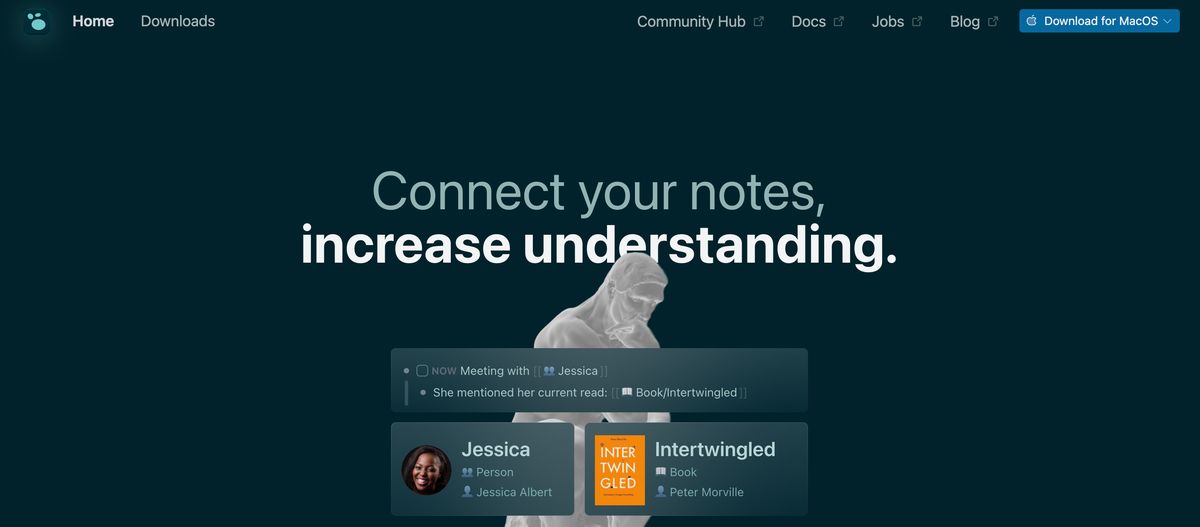
Logseq is an open-source, local-first, block-based outliner and task manager. It’s pretty structured, and notes and tasks are stored in a "graph." Notes can be linked together, and you can record audio attachments and include inline images, which are all nice features.
How Logseq Works
The main feature that sets LogSeq apart is its block-based outliner format. Instead of following a linear structure for note-taking, where each idea flows into the next, LogSeq allows users to break down their thoughts into separate blocks. Each paragraph or concept can be easily rearranged and linked to other blocks, creating a flexible and interconnected network of ideas.
This method reflects how our minds work — where thoughts are not always sequential but somewhat interconnected. Using LogSeq’s block-based approach, users can organize their notes in a way that makes sense to them, promoting creativity and critical thinking.
What Can You Use Logseq For?
Whether you’re working on a creative project like writing a novel or tackling an academic task such as organizing research for a paper, LogSeq’s unique way of structuring information could be the solution you’ve been looking for.
Related Reading
- PKM Tools
- Personal Knowledge Management Tools
- Second Brain Apps
- Second Brain Method
- Heptabase Alternative
- Zettelkasten Note Taking
Logseq Price Plans

Logseq is free to use for everyone. You can download the app and use it immediately without paying a dime. However, while the core app is free, some Logseq features may cost money.
Features That Won’t Cost You a Dime
Logseq offers several powerful features for free. Here are some of the most notable ones:
Logseq Sync
Logseq Sync connects your notes across devices and acts as a cloud backup. This means you can access your ideas on your desktop, phone, or anywhere you have Logseq installed.
Unlike most sync features, Logseq prioritizes privacy. Your notes are encrypted, so only you have access – even Logseq themselves can’t read them.
If you don’t have Sync, you may get nervous about losing all your notes if anything happens to your laptop. Now, Sync gives you that peace of mind. Plus, I can jot a quick idea on my phone and see it on my computer. That can be so handy!
Whiteboards
Whiteboards give you a free-form canvas within your notes. You can sketch ideas, create mind maps, embed images, and connect them to your other notes.
Whiteboards allow for visual thinking that traditional note-taking apps struggle with. It’s a fantastic way to brainstorm or map out complex projects where connections matter as much as the ideas themselves.
There are many excellent apps for visual brainstorming. Linking those whiteboard sessions directly to your note-taking app is a game-changer. It keeps your thinking connected, not spread thin across other tools.
150+ Plugins
Plugins are little add-ons you can install to give Logseq new superpowers. There are plugins for everything: beautiful themes, advanced calendar features, syncing your notes to other apps, and so on!
Plugins let you customize your version of Logseq to fit exactly how you work. If a feature is missing in the core app, chances are there’s a plugin that does the trick.
I never thought I’d care about integrations in a note-taking app, but a plugin transformed the look of Logseq, making it even more enjoyable to use. Plus, I’ve found plugins that simplify routine tasks, saving me much time.
Themes
Themes change the whole look and feel of Logseq. You can choose from light or dark modes, different fonts, colors, and special effects.
Beyond aesthetics, themes can impact how you work. Some themes make Logseq feel more playful for free-form thinking, while others give it a clean, focused look that is perfect for distraction-free long-form writing.
I used to think themes were silly, but trying a few out had a surprising impact. A darker, minimalist theme helps me stay laser-focused while writing, and a brighter one sparks creativity when brainstorming.
Strong Community
Logseq has a passionate group of people who are using and developing the app. There are forums, a Discord server, and tons of folks sharing their workflows and plugin creations.
A strong community makes a huge difference for any software. They provide support when you’re stuck, inspiration with how others use the app, and even contribute to making Logseq itself better over time.
I wouldn’t be half as good at using Logseq without the community. They’ve answered my questions, shown me excellent ways to use it I never would have thought of, and kept that sense of excitement about the app alive.
Mobile and Windows App
Logseq has dedicated Windows, Mac, Linux, Android apps, and iOS. This means you can take your notes and ideas wherever you go.
Not all note-taking apps offer a smooth experience across devices. Having your notes on your computer and phone lets you capture those sudden ideas on the go or quickly reference something away from your desk.
I love jotting down quick thoughts on my phone during breaks, knowing they’ll await me when I return to my computer. Pulling up notes while I’m out and about is also super handy.
Localization
Localization means Logseq’s interface can be translated into different languages. This includes menus, options, and even the core note-taking concepts themselves.
Not all note-taking apps prioritize accessibility across languages. Localization makes Logseq a more inclusive tool and lets you work in the language you’re most comfortable with.
While I have used Logseq in English, I love that the option is available for others. It shows a commitment to making knowledge organizations accessible to people worldwide.
Task Management
Logseq lets you embed todos right within your notes. You can add deadlines, mark tasks as “Later,” or even schedule them to reappear on specific days.
Instead of integrating your to-do list into a separate app, it’s integrated with your knowledge base. This means you can link tasks to relevant notes, projects, and ideas for a more holistic view of what needs doing.
Using Logseq, you don’t have to worry about to-dos being scattered across different apps and sticky notes. Now, you can have them within my notes to force you to think about why you are doing something, not just that you must do it.
PDF Annotations
You can import PDFs directly into Logseq. From there, you can highlight text, add notes, and even draw on the document– all linked to your broader notes.
Instead of having your PDF notes disconnected in a separate reader, they become part of your knowledge base. You can link those annotations to ideas, projects, and other related notes to better understand the material.
Have a long research paper and worried about taking notes on it? Logseq lets you keep everything in one place so you can focus on the content and notes, not juggling different apps.
Flashcards
You can turn your notes into flashcards directly within Logseq. It uses spaced repetition, showing you cards you struggle with more often, helping information stick.
Instead of needing a separate flashcard app, you build knowledge and memorization into your daily note-taking. This keeps your study material connected to the broader context of my notes.
I’m a language learner, and I used Logseq flashcards to try out vocabulary practice. Seeing the words in context within my notes makes them easier to remember than isolated flashcards.
Constella: The Infinite Canvas for Your Thoughts
Constella reimagines note-taking with an infinite canvas that lets you capture and connect ideas effortlessly. Whether you're a researcher trying to draw connections across numerous papers or someone who wants a more intuitive way to organize your thoughts and files, Constella's AI assistant helps you build and navigate your knowledge base without the constraints of traditional folder structures.
Constella transforms how you capture, find, and connect your ideas, perfect for busy knowledge workers and researchers limited by conventional note-taking tools. Research 10 times faster with Constella's AI notes manager.
12 Best Logseq Alternatives for Knowledge Management
1. Constella: A Fresh Approach to Note-Taking
Constella reimagines note-taking with an infinite canvas that lets you capture and connect ideas effortlessly. Whether you're a researcher trying to draw connections across numerous papers or someone who wants a more intuitive way to organize your thoughts and files, Constella's AI assistant helps you build and navigate your knowledge base without the constraints of traditional folder structures.
Constella transforms how you capture, find, and connect your ideas, perfect for busy knowledge workers and researchers limited by conventional note-taking tools. Research 10 times faster with Constella's AI notes manager.
2. Tettra: A Smart Solution for Team Knowledge Management
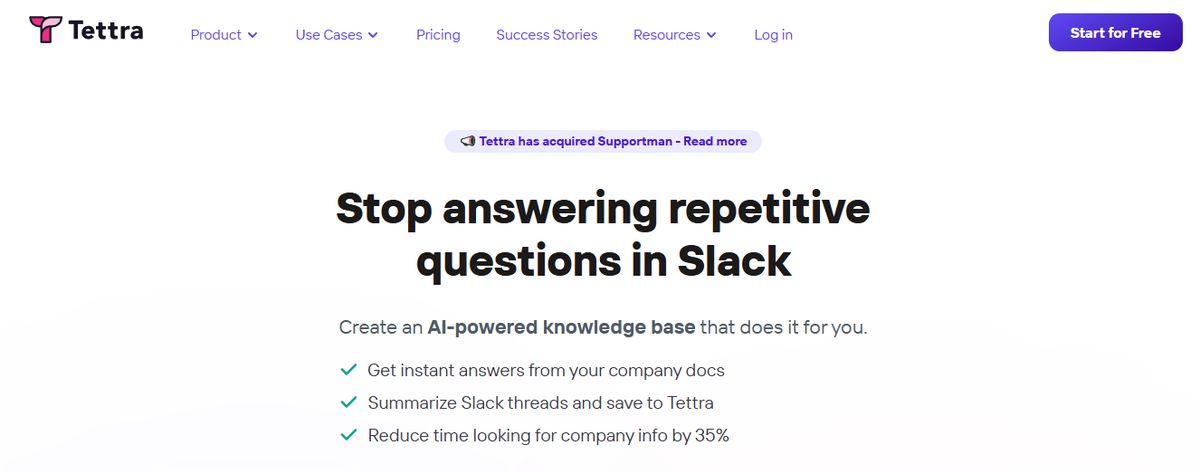
Tettra is a good software for building a centralized knowledge base and managing overall company knowledge. With Tettra’s simple editor, you can create new documentation or export existing content from tools like Google Docs, Notion, etc.
Suitable for growing organizations, Tettra offers features such as AI-driven content suggestions and verification workflows to maintain accuracy and public knowledge-sharing capabilities.
Tettra Best Features
- Get answers to team questions from Tetra’s AI assistant, Kai
- Verify content on a set schedule with the help of subject matter experts through knowledge automation
- Add media and cross-link files within the knowledge base
Tettra Limitations
- Provides limited formatting features compared to other personal knowledge management tools
- Users may find the Professional subscription too expensive
Pros of Tettra
- AI-assisted answers right inside Slack (talk with your docs)
- Intuitive interface
- Native Slack integration
- Less learning curve
- Unique knowledge management features
Cons of Tettra
- Lacks support for forums/discussion boards
- Limited document formatting
3. Evernote: A Comprehensive PKM Tool
Evernote is a comprehensive personal knowledge management (PKM) and note-taking tool designed to help professionals capture, organize, and access information smoothly across devices.
As the name suggests, it lets you jot down random thoughts and store important files and documents to develop a knowledge base. What I like about Evernote is its functionality to record audio notes for personal and professional purposes.
Evernote Best Features
- Digitize physical documents directly into Evernote so that there is easy access to relevant documents, papers, and lists
- Quickly locate information within your notes using natural language queries
- Easily sync information across devices to access it anytime from anywhere
Evernote Limitations
- Some users find the mobile app to be less user-friendly than the desktop version
- The free version offers a limited amount of storage capacity
Pros of Evernote
- Effortless note-taking and syncing
- Powerful search
- OCR for images
- AI-enabled plain language search
- Excellent and customizable organization options
Cons of Evernote
- Expensive
- The free version isn't worth using
4. Notion: A Versatile Knowledge Management Tool
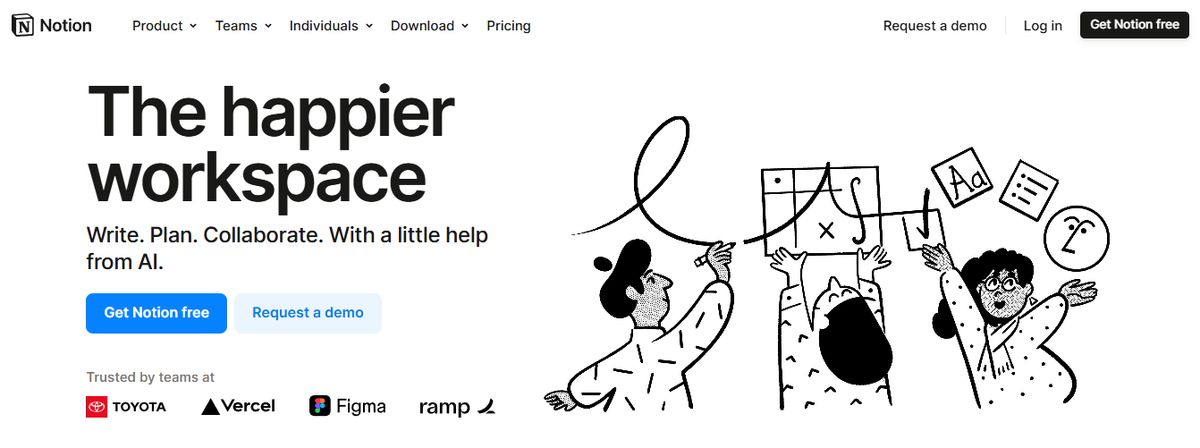
Notion offers a flexible workspace for note-taking, task management, and database creation, making it ideal for various projects. Known for its versatility, Notion allows users to customize their workspaces to fit their needs, whether for personal use, small teams, or larger organizations.
Key Features
- Customizable Templates: Use and create templates for different workflows, helping to standardize processes and save time.
- Integration with Various Tools: Connect with apps like Slack, Google Drive, and more, ensuring a smooth workflow across different platforms.
- Collaboration Features: Work with your team on shared documents and projects, enhancing teamwork and communication.
Pros of Notion
- Highly Customizable: Users can tailor Notion to meet their needs, from simple to complex workflows.
- Versatile: Suitable for various applications, from project management to note-taking and database creation.
- Great for Creative Projects: Offers flexibility and tools particularly useful for creative professionals.
Cons of Notion
- Steeper Learning Curve: New users might find Notion overwhelming due to its extensive features.
- Can Be Overwhelming for New Users: The vast array of features may take time to master.
5. Obsidian: A Powerful PKM Tool for Individuals
Obsidian is a powerful, markdown-based personal knowledge management (PKM) tool designed to help students effectively organize and connect their ideas. The app lets you jot down notes and graphically visualize their relationships.
Whether building a personal wiki, creating mind maps, or developing a second brain, Obsidian offers unparalleled flexibility and control, making it a standout choice for students seeking to better their productivity and learning.
Apart from building a personal knowledge base and wiki, I also like how Obsidian doubles as knowledge-sharing software, letting you publish personal wikis securely on the web.
Obsidian Best Features
- Brainstorm, research, and map out your ideas with the Canvas feature
- Extend functionality with community-created plugins or personalize the interface to match your workflow and preferences
- Keep your data secure on your device and access it anytime, even without an internet connection
Obsidian Limitations
- Extensive customization options and markdown syntax may feel overwhelming for beginners
- Obsidian focuses on individual workflows with no built-in team collaboration features
Pros of Obsidian
- Boosts Productivity
- Enhances Learning
- Customizable Interface
Cons of Obsidian
- Slight Learning Curve
- Requires Regular Maintenance
6. Bear: A Beautiful Note-Taking App for Apple Users
Bear is a flexible note-taking app for macOS and iOS that features rich text editing, organization tools, and markdown support. Users can create notes in various formats, including text, images, links, and files, and organize them using tags, folders, and search functionality. Bear also offers themes, focus mode, and encryption for secure note-taking.
Pros of Bear
- Excellent Markdown Support: smooth integration with Markdown formatting allows quick and efficient note-taking with minimal distractions.
- Smooth Apple Ecosystem Integration: As an Apple-centric app, Bear syncs flawlessly across Mac, iPad, and iPhone devices using iCloud.
- Intuitive Tagging System: An easy-to-use hashtag system for effective note organization and retrieval.
- Good Export Options: Ability to export notes in various formats like plain text, HTML, and PDF.
Cons of Bear
- Limited Platform Availability: Bear is only available on Apple devices, making it inaccessible for users on Windows or Android.
- No Web Interface: Users cannot access Bear Notes through a web browser.
7. Roam Research: A Knowledge Management Tool for Networked Thought
Another great note-taking PKM tool is Roam Research. Popular among researchers, writers, and lifelong learners, this tool is designed for non-linear thinking and idea organization. Roam helps students create a ‘networked thought’ system, connecting concepts and notes to mirror how the brain naturally works.
Bidirectional linking on Roam enables you to create a web of interconnected notes and quickly identify relationships between disparate pieces of information.
Roam Research Best Features
- Generate a daily note to help you keep track of your thoughts and ideas on a day-to-day basis
- Refer to and reuse pieces of text across different notes
- Store your notes as plain text files, making it easy for you to read and share them
Roam Research Limitations
- Roam Research’s design is not aesthetically pleasing
- Some users may find its pricing costlier than other tools due to no free options
Pros of Roam Research
- The first thing you need to know about Roam Research is that it focuses on creating interconnected knowledge. This platform uses a Directed Acyclic Graph (DAG) structure for flexible information organization, enabling you to develop a web of knowledge that connects concepts, ideas, and information smoothly. It's like having a neural network for your thoughts!
- Roam Research offers a daily note-focused approach, reducing cognitive load and organizational overhead. By creating a new daily note every day, you can focus on what matters most to you in the moment without getting bogged down by trying to organize everything all at once.
- Roam supports many file extensions, allowing you to incorporate text, images, audio, and video into your notes. Plus, there's no cap on data usage, so you can store as much information as you want without worrying about running out of space.
Cons of Roam Research
- One downside to Roam Research is its higher price than alternatives like Obsidian. While Roam offers many features and functionality, the cost might be a barrier for some users.
- Another potential con is the perceived slow development of Roam Research. Some users feel that Roam doesn't release as many significant improvements as its competitors, which could be frustrating for those looking for the latest and greatest features.
8. Guru: A Centralized Knowledge Base for Teams

Guru is an AI-powered knowledge management platform that converts your company’s collective knowledge into a single, centralized, and up-to-date Wiki for your employees.
The AI search feature provides instant, personalized responses to your employees’ questions, enabling them to get back to their assigned tasks with clarity.
Guru allows teams to maintain a single source of truth, ensuring that information is accurate, up-to-date, and easily retrievable—integral to improving operations and making informed decisions.
Guru Best Features
- Create a personalized intranet that serves as a centralized hub for company information
- Connect to your existing apps, chats, and documents through AI
- Provides role-based access control functionalities
Guru Limitations
- Guru provides limited customization options compared to other software
- There are chances of outdated or duplicate content with the growth of the knowledge base
Pros of Guru
- Team collaboration: Facilitates smooth knowledge sharing across teams by allowing users to create, edit, and access information collectively.
- Integrations with other tools: Can integrate with platforms like Slack and Microsoft Teams, providing access to information directly within the workflow.
- Relevant suggestions: AI-powered suggestions help users discover related information quickly and efficiently.
Cons of Guru
- Limited text customization: The text editor may not offer extensive formatting options, potentially impacting the visual presentation of complex information.
9. Document360: A Knowledge Base Software for Documentation
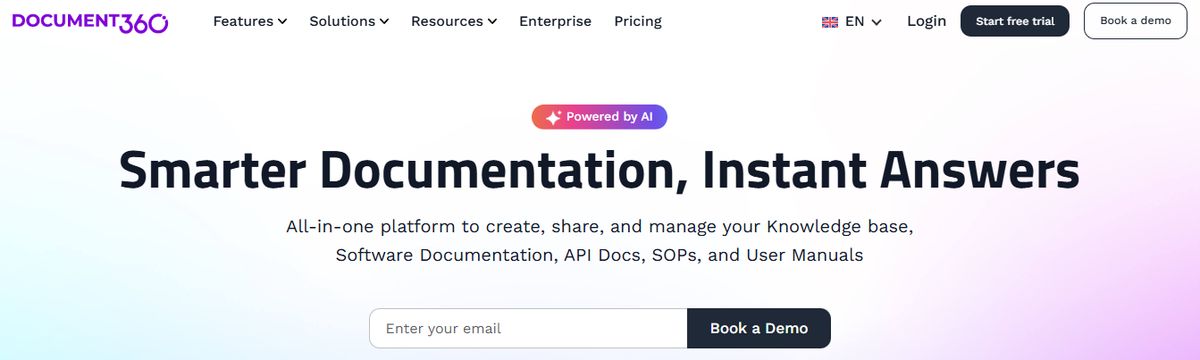
Another all-in-one workspace software for building customizable knowledge bases is Document360.
This software helps you personalize your knowledge base with branded colors. It helps create dynamic, searchable, multilingual user manuals, SOPs, how-to guides, and other documents.
Ideal for professionals seeking to streamline documentation processes, Document360 offers a user-friendly interface that caters to technical and non-technical users. Plus, it gives AI functionalities to simplify tackling all documentation needs.
Document360 Best Features
- Improve the context and relevance of documentation with real-time AI feedback
- Get insights into user behavior and content effectiveness to optimize knowledge management strategies
- Connect with popular tools like Slack, Microsoft Teams, Zendesk, and Intercom to build a cohesive workflow across platforms
Document360 Limitations
- A few features are only available through costly add-ons
- New users might require time to leverage the platform’s extensive capabilities fully
Pros of Document360
- Great Editor
- Reliable Version Control
- Smart File Management
- Powerful Reports and Analytics
Cons of Document360
- Can get pricey quickly
10. Microsoft OneNote: Solid Note-Taking Software for Microsoft Office Users
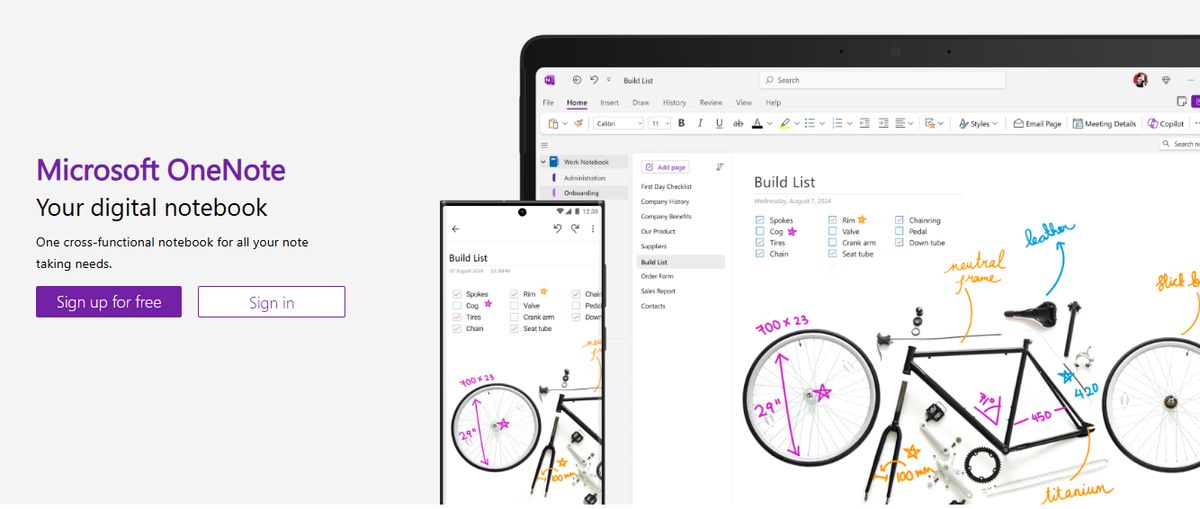
Microsoft OneNote is a digital note-taking app that integrates smoothly with other Microsoft Office tools, providing a powerful solution for organizing notes.
Key Features
- Note Organization: Organize notes into notebooks, sections, and pages, ensuring that all information is easily accessible.
- Multi-Device Sync: Access your notes from any device, allowing you to stay productive on the go.
- Integration with Microsoft Office: smoothly connect with other Microsoft Office apps, enhancing productivity.
Pros of OneNote
- Great for Note-Taking: Provides powerful tools for capturing and organizing notes.
- smooth Integration with Office: Enhances productivity by integrating with other Microsoft apps.
- Free to Use: Offers comprehensive features at no cost.
Cons of OneNote
- Limited Project Management Features: Primarily focused on note-taking, lacking some advanced project management functionalities.
- Can Be Overwhelming for New Users: The extensive features may take time to master.
11. Slite: A Collaborative Documentation Tool for Teams
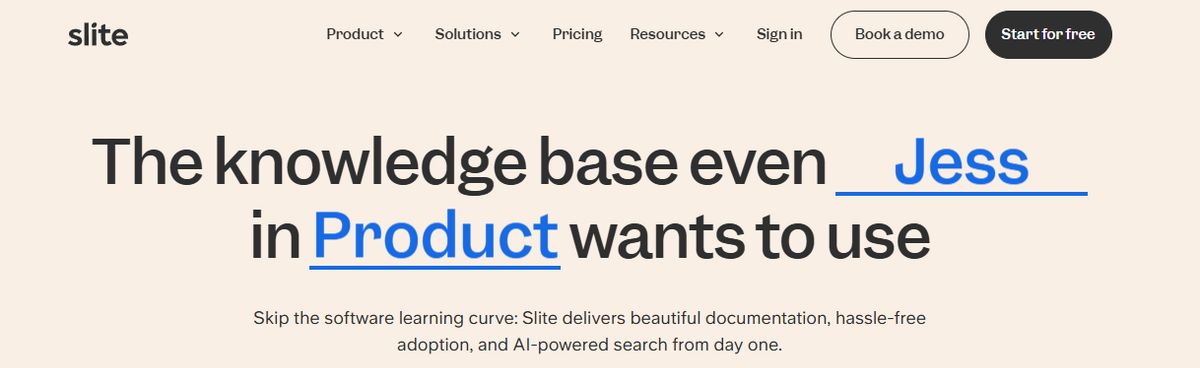
Slite is a collaborative documentation tool designed for teams, offering real-time collaboration and an easy-to-use interface.
Key Features
- Real-Time Collaboration: Work on documents with your team in real-time, enhancing teamwork and efficiency.
- Easy-to-Use Interface: Simple and intuitive interface for managing documents, making it accessible for all team members.
- Integration with Other Tools: Connect with apps like Slack, Google Drive, and more, ensuring a smooth workflow.
Pros of Slite
- Excellent for Team Collaboration: Facilitates real-time collaboration, improving communication and productivity.
- Intuitive: User-friendly interface that is easy to navigate.
- Strong Search Capabilities: Powerful search features make finding information quick and easy.
Cons of Slite
- Limited Task Management Features: Primarily focused on documentation, may lack some advanced project management functionalities.
- Can Be Pricey for Larger Teams: The cost can increase, especially for larger teams requiring premium features.
12. Quip: A Salesforce Tool for Collaborative Productivity
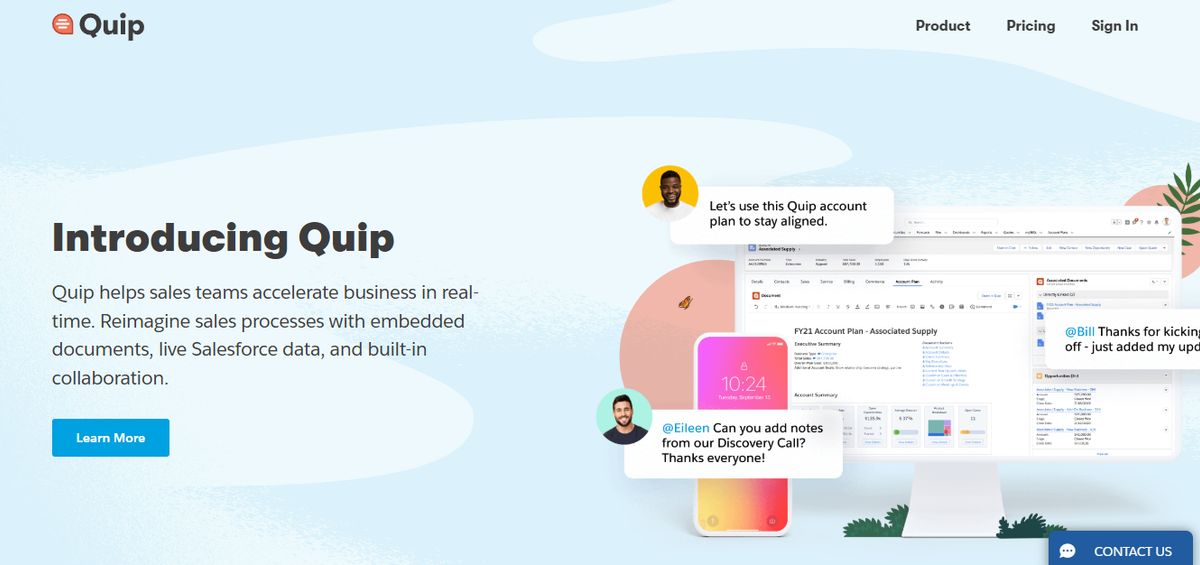
Quip is a collaborative productivity software for teams, integrating documents, spreadsheets, and chat into a unified workspace.
Key Features
- Real-Time Collaboration: Collaborate on documents and spreadsheets in real-time, enhancing team communication and efficiency.
- Document Sharing: Share documents and collaborate with your team, keeping all relevant information in one place.
- Task Lists: Manage tasks and projects within the platform, ensuring everything stays organized.
Pros of Quip
- Excellent for Team Collaboration: Facilitates real-time collaboration, improving team efficiency.
- Integrates with Salesforce: smooth integration, making it ideal for sales teams.
- Strong Mobile Support: Excellent mobile apps for on-the-go access.
Cons of Quip
- Limited Project Management Features: May lack some advanced project management functionalities.
- Can Be Expensive: The cost can increase, especially for larger teams.
Pros and Cons of Logseq

Logseq Pros
Efficient Organization
Logseq excels at organizing notes. The app automatically sorts your notes by pages, tags, and a daily journal. You can also create custom hierarchies and outlines to arrange your notes in a way that makes the most sense for your workflow. Logseq makes it easy to find precisely what you need when you need it.
Smooth Integration
With Logseq, you can smoothly integrate your notes across various platforms and devices. This ensures you have access to your notes wherever you go. Logseq lets you publish your notes as a website, which makes it simple to share your knowledge with others and access your notes on any device with a web browser. You can also export your notes in plain text Markdown files for easy use with other apps.
Enhanced Productivity
Logseq boosts productivity by streamlining the note-taking process. With quick access to your information and a distraction-free interface, you can focus on your work instead of getting lost in your notes. Logseq also offers mighty task and project management features to help you organize your work and stay on top of your deadlines.
Logseq Cons
Learning Curve
While Logseq offers many features, mastering them may take some time. However, the payoff is well worth the initial investment once you get the hang of it.
Limited Customization
Some users may find Logseq’s customization options somewhat limited compared to other note-taking apps. Nevertheless, its simplicity can also be seen as a strength for those who prefer a more straightforward approach.
Related Reading
- Slite Alternatives
- Roam Research Alternatives
- Joplin Alternatives
- Notion Knowledge Management
- Coda Alternatives
- SiYuan Alternatives
Research 10 Times Faster with Constella
Constella reimagines note-taking with an infinite canvas that lets you capture and connect ideas effortlessly. Whether you're a researcher trying to draw connections across numerous papers or someone who wants a more intuitive way to organize your thoughts and files, Constella's AI assistant helps you build and navigate your knowledge base without the constraints of traditional folder structures.
Constella transforms how you capture, find, and connect your ideas, perfect for busy knowledge workers and researchers limited by conventional note-taking tools. Research 10 times faster with Constella's AI notes manager.
Related Reading
Want more insights like this?
Subscribe to get short productivity tips and useful summaries of new tools every week.
Want more insights like this?
Subscribe to get short productivity tips and useful summaries of new tools every week.


