

Digital decluttering is the practice of streamlining and organizing your digital environment to reduce overwhelm and improve productivity. With the daily flood of information we navigate, a cluttered digital space can lead to inefficiencies and increased stress as crucial files or tasks become lost amidst unnecessary data. By proactively managing this digital "clutter," you can regain control over your workflow and focus.
Personal Knowledge Management (PKM) tools are invaluable in this process. These tools help users efficiently organize and retrieve important information, transforming how files, notes, and tasks are handled. By integrating PKM strategies into your routine, digital decluttering becomes a pathway to enhanced productivity and a calmer, more manageable digital life.
Digital Decluttering
Digital decluttering involves systematically organizing and managing digital data to create a streamlined and efficient digital environment. As our lives become increasingly digital, the ability to effectively manage our digital spaces has grown in importance. The average individual encounters a myriad of digital content daily, from emails and documents to social media updates and applications. Without proper management, this content can quickly accumulate, leading to digital clutter.
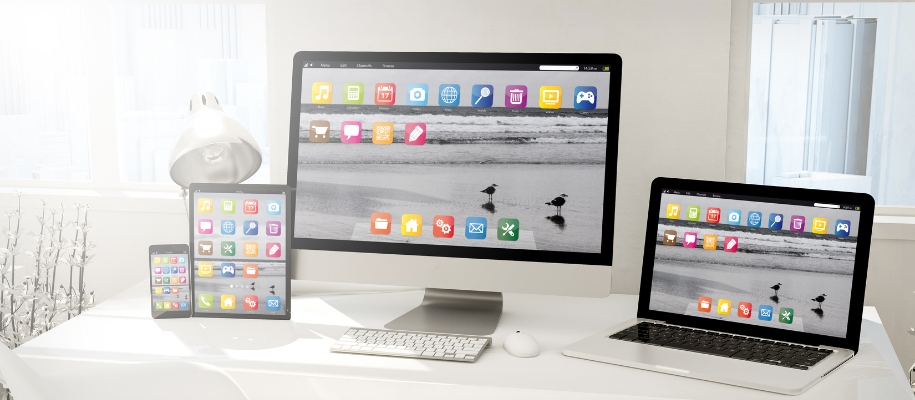
Signs of a Cluttered Digital Environment
Recognizing the signs of a cluttered digital environment is the first step in addressing it. Here are some common indicators:
- Overwhelmed Inbox: Hundreds or even thousands of unread emails.
- Disorganized Files: Difficulty locating important documents due to poorly named files or lack of structure.
- Excessive Notifications: Constant alerts from apps or subscriptions that disrupt focus.
- Multiple App Pages: Screens filled with seldom-used apps making navigation tedious.
- Chaotic Notes: An unstructured notes app with scattered thoughts and ideas.
Identifying these signs helps underline the necessity of taking action to reduce digital clutter. Engaging in digital decluttering can lead to increased productivity, reduced stress, and a more focused approach to both personal and professional tasks.
One effective strategy for digital decluttering, especially when it comes to managing notes, is adopting the Zettelkasten method. This system encourages organized note-taking which can significantly reduce chaos in your notes app. Additionally, utilizing free mind mapping apps can further streamline your note organization process, making it easier to visualize and connect ideas.
Key Areas for Digital Decluttering
Email Inbox Management

A clean email inbox not only reduces stress but also increases efficiency. Start by unsubscribing from emails that no longer serve you, such as newsletters and promotional messages. This will significantly reduce the influx of unnecessary emails. Use folders or labels to organize important messages, categorizing them by project, urgency, or sender. Setting up filters can automatically sort incoming mail, ensuring you focus on what's essential.
- Unsubscribe Ruthlessly: Use tools like Unroll.Me to unsubscribe from promotional emails and newsletters you no longer find valuable.
- Use Folders and Labels: Organize emails into folders categorized by project, urgency, or sender. Gmail’s labels or Outlook’s categories are excellent for this.
- Set Up Filters: Automate your inbox by setting filters to prioritize important emails. For example, flag messages from key contacts or about specific topics.
- Inbox Zero Strategy: Dedicate a few minutes daily to clear unread or unnecessary emails. Archive or delete as soon as you respond to messages to maintain order.
Pro Tip: Adopt the “2-Minute Rule”—if an email takes less than two minutes to respond to, address it immediately instead of saving it for later.
Phone Apps Organization

The clutter on your phone can be just as overwhelming as a messy desk. Regularly delete apps that are obsolete or rarely used to free up space and mental bandwidth. For the remaining apps, consider organizing them into categories like productivity, entertainment, or social media. Another strategy is arranging them based on frequency of use. These tips for managing phone apps help streamline functionality and enhance your digital experience.
- Regularly Purge Apps: Delete apps you haven’t used in the past month. Check usage stats in your phone settings to identify these digital freeloaders.
- Categorize Apps: Group apps into folders by function—such as “Work,” “Fitness,” or “Social”—to keep your home screen tidy.
- Limit Home Screen to Essentials: Reserve this space for frequently used apps to reduce distractions and scrolling time.
- Leverage Built-in App Limits: On iPhones and Androids, set daily time limits for social media or other addictive apps to stay focused.
Pro Tip: Place time-wasting apps in a less accessible folder or on the last page of your screen to make mindless usage less tempting.
Social Media Streamlining

Social media can be both a time sink and a source of unnecessary information overload. One effective approach is to review followed accounts routinely, unfollowing those that no longer align with your interests or values. Consider cleaning up old posts; this helps in maintaining a curated feed that reflects your current self. These ways to streamline social media usage not only save time but also promote a more meaningful engagement with your online community.
- Audit Followed Accounts: Unfollow pages and profiles that no longer align with your goals or values. Tools like Jumbo Privacy can help clean up old posts and update privacy settings.
- Reduce Notifications: Turn off non-essential alerts to prevent interruptions and regain focus.
- Time-Bound Usage: Allocate specific times of the day for social media to avoid endless scrolling. Apps like RescueTime can track usage and highlight areas to improve.
- Curate Your Feed: Regularly review and refine your feed to ensure it reflects your current interests and avoids unnecessary distractions.
Pro Tip: Consider a “digital detox” day each week to reset your relationship with social media.
Notes App Consolidation
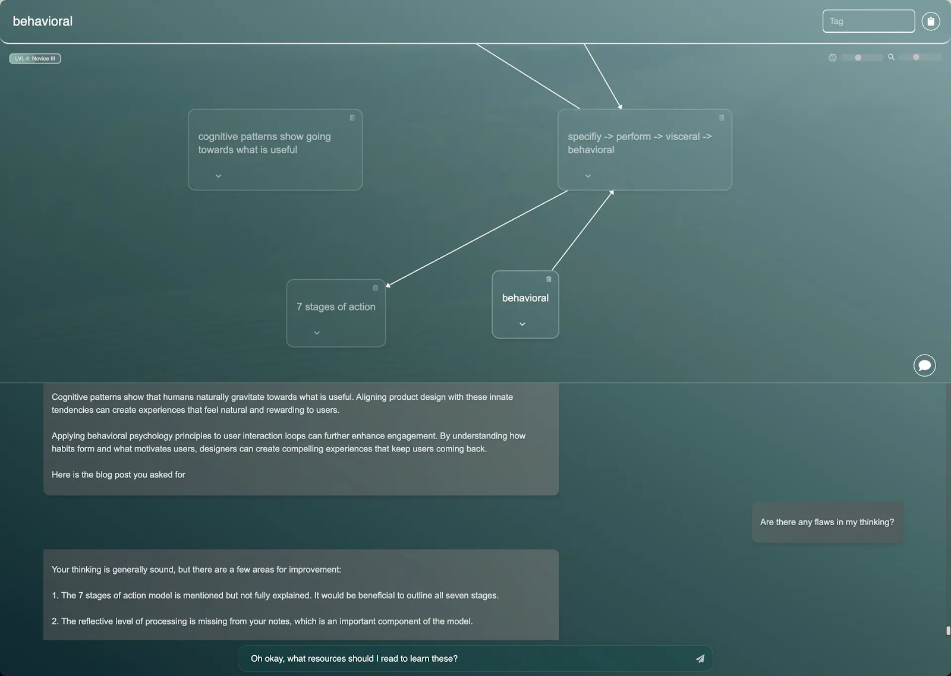
A scattered collection of notes can lead to frustration and inefficiency. Start by grouping similar notes together to make retrieval easier. Implement strategies for notes app organization, such as tagging or creating folders for different themes or projects. To ensure privacy, opt for apps that offer encryption or password protection for sensitive content. Techniques to consolidate similar notes can vastly improve how you manage and access information in your daily life.
- Group Notes by Tags: Use folders or tags for categories like “Work,” “Ideas,” or “Shopping Lists.”
- Eliminate Duplicates: Dedicate time to merge or delete redundant notes to avoid clutter.
- Opt for Secure Options: For sensitive information, choose apps that offer encryption and password protection, like Constella.
- Standardize Formats: Use consistent headings and templates to make notes easier to scan and retrieve.
Pro Tip: Incorporate reminders or calendar integration with your notes app to ensure action items don’t get lost in the shuffle.
Using Personal Knowledge Management Tools for Efficient Digital Decluttering
Personal Knowledge Management (PKM) tools are essential for managing digital clutter. These tools provide comprehensive platforms to store, organize, and retrieve information efficiently. By incorporating PKM systems into your daily routine, you can streamline workflows and eliminate digital chaos.
Constella.App: A Cutting-Edge Tool for Personal Knowledge Management
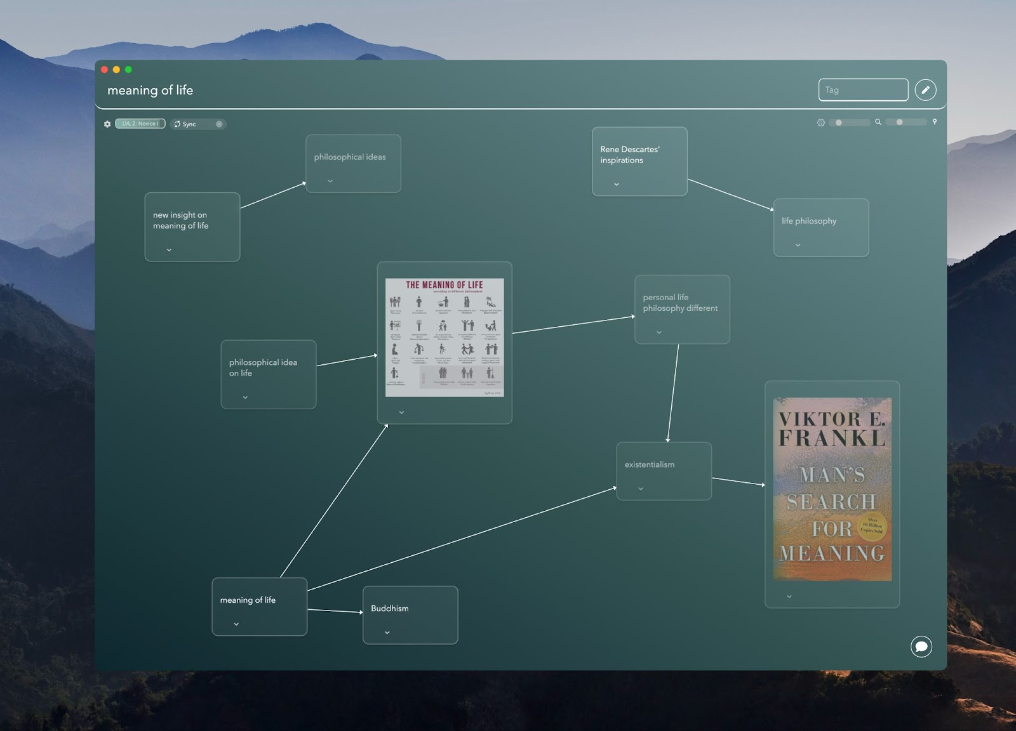
Constella.App redefines Personal Knowledge Management (PKM) with features tailored to simplify digital organization and encourage creativity. Designed for individuals seeking clarity in their digital spaces, Constella offers tools that integrate beauty with functionality, making it a standout in the crowded PKM landscape.
Expanded Features of Constella.App
- **Infinite Graphs for Seamless Organization: **Constella's Infinite Graphs allow users to map their thoughts and ideas effortlessly. These graphs create a dynamic, interconnected visual representation of information, enabling quick retrieval and promoting associative thinking.
- **Centralized Journaling: **The app doubles as a robust journaling tool, supporting daily reflections, goal tracking, and insights capture—all organized within its graph-based ecosystem.
- **Cross-Platform Sync: **Constella ensures that your notes and ideas are accessible across devices, offering seamless integration for users who multitask between environments.
- **Customizable Organization: **Users can structure their knowledge uniquely with tags and views creating a workflow that suits their needs.
Incorporating Constella.App into your routine transforms your digital workspace into a streamlined, engaging, and productive environment. With its advanced PKM tools, Constella empowers users to not only declutter their digital lives but also unlock their creative and organizational potential fully.
Best Practices for Maintaining Digital Order with PKM Tools Like Constella.App
The importance of regular maintenance cannot be overstated in managing digital clutter. Begin by setting up daily checks on downloads and emails. This routine ensures that new files are organized from the start, reducing the chance of them becoming lost amidst digital chaos. Consider creating a morning or evening ritual where you allocate specific time to review and categorize your daily influx of digital data.
Archiving Files Effectively
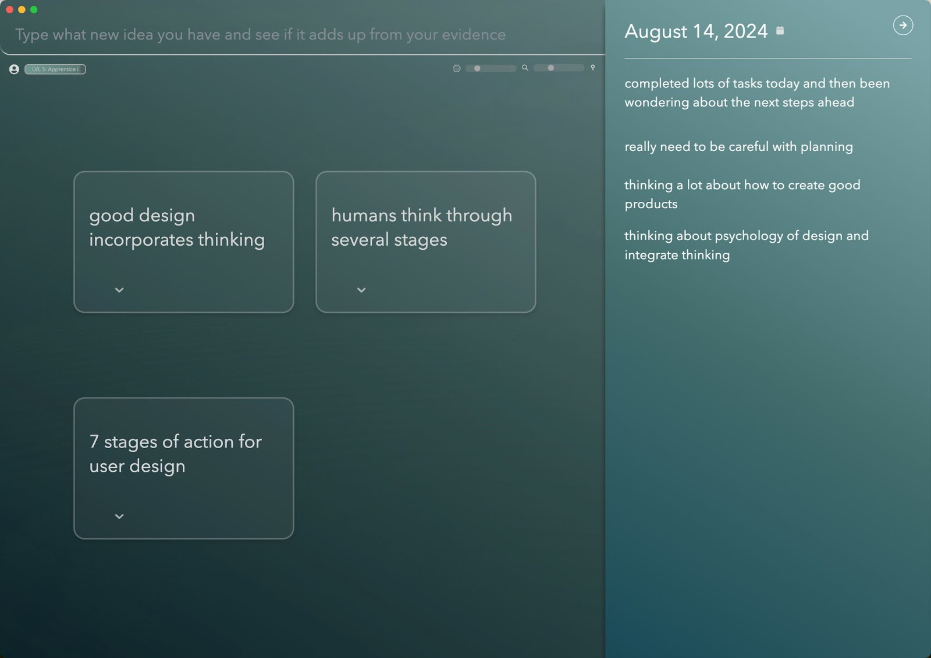
Utilizing PKM tools such as Constella.App can facilitate efficient archiving practices. With its intuitive features, you can easily transition old files into an archived state, thus preventing unnecessary clutter accumulation. Here are some practical techniques:
- Regular Review: Allocate time weekly or monthly to assess which files are no longer actively needed.
- Tagging System: Use Constella’s tagging capabilities to label files by project or relevance before archiving.
By embedding these practices into your routine, you maintain a streamlined digital environment that enhances productivity and focus. Implementing these strategies not only prevents clutter buildup but also leverages the full potential of advanced PKM tools like Constella.App.
Finally, don't underestimate the power of mind mapping in learning. With Constella's AI-powered tools, you can learn ideas faster and remember them more effectively.
Conclusion
Embracing a decluttered digital life yields significant long-term benefits. A clean and organized digital space reduces stress, enhances productivity, and allows for more intentional saving of important files and notes. By systematically organizing your digital environment, you pave the way for clearer thinking and more efficient use of technology.
Leveraging practical strategies alongside innovative tools like Constella.App ensures continued success in digital decluttering. This robust tool assists in maintaining an organized digital space with its unique features, such as an infinite graph for easy retrieval of thoughts—a feature that can significantly enhance your note-taking—and a visually appealing interface that simplifies navigation.
Unlike traditional note-taking apps such as Evernote, which have their severe problems, Constella offers an AI-powered solution with smart retrieval and a visual graph interface. Incorporate these methods into your routine to not only achieve but sustain a clutter-free digital existence. With the right tools and approaches, such as using Constella for research to connect insights from research papers, you can transform your digital landscape into a space that supports your focus and productivity.
FAQs (Frequently Asked Questions)
What is digital decluttering and why is it important?
Digital decluttering refers to the process of organizing and reducing unnecessary digital clutter in our lives. In today's digital age, where we are constantly bombarded with information, maintaining a clutter-free digital space is crucial for reducing stress and improving productivity.
What are some common signs that indicate I need to declutter my digital environment?
Common signs of a cluttered digital environment include overflowing email inboxes, difficulty finding important files or notes, excessive apps on your phone, and an overwhelming number of social media accounts followed. If you frequently feel overwhelmed by your digital space, it may be time to consider decluttering.
How can I effectively manage my email inbox during digital decluttering?
Effective strategies for cleaning up your email inbox include unsubscribing from unwanted newsletters, using folders to organize important messages, and regularly reviewing your inbox to delete or archive old emails. This will help maintain an organized and manageable email environment.
What are some tips for organizing phone apps?
To manage your phone apps effectively, consider deleting unused applications and organizing the remaining ones into categories based on their functionality or how frequently you use them. This will help streamline your app usage and reduce clutter on your device.
How do personal knowledge management (PKM) tools assist in digital decluttering?
Personal knowledge management tools facilitate effective digital organization by providing structured ways to capture, store, and retrieve information. Tools like Constella.App offer unique features such as an infinite graph for jotting down thoughts quickly and a visual interface that enhances user experience while helping to keep digital spaces organized.
What best practices should I follow for maintaining digital order with PKM tools?
Regular maintenance is key to maintaining digital order. Establish daily routines to check downloads and emails, ensuring new files are organized from the start. Additionally, utilize PKM tools like Constella.App for archiving old files effectively to prevent unnecessary clutter buildup over time.
Want more insights like this?
Subscribe to get short productivity tips and useful summaries of new tools every week.
Want more insights like this?
Subscribe to get short productivity tips and useful summaries of new tools every week.


