
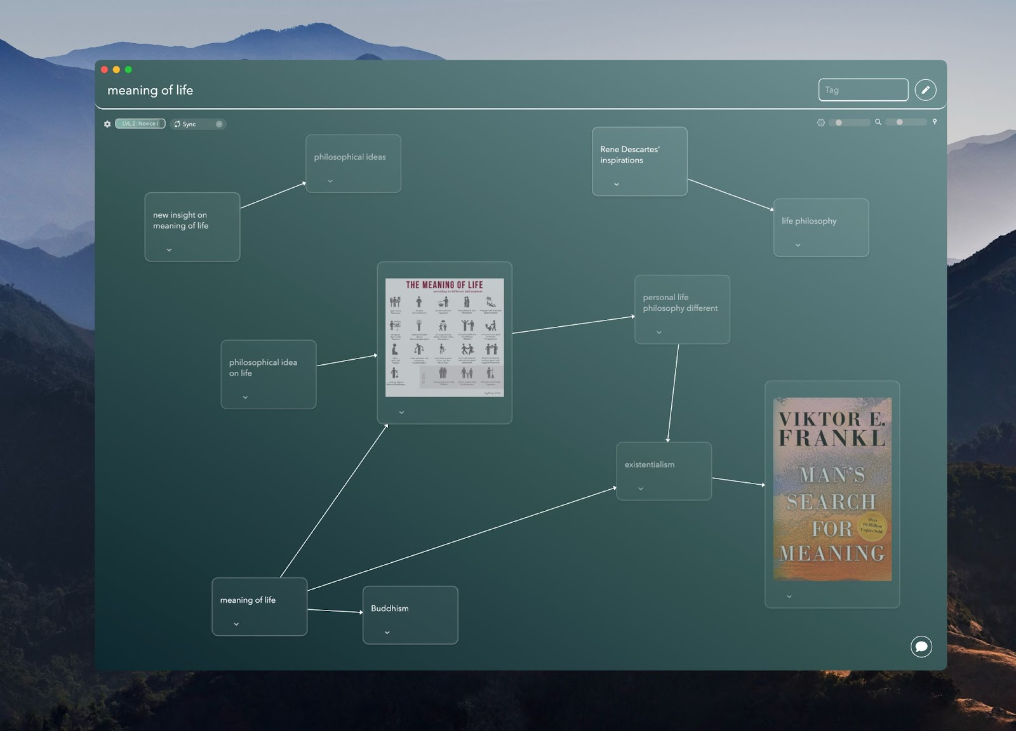
Constella.App is a breath of fresh air in the world of Personal Knowledge Management (PKM), especially for those who aren't tech-savvy. Designed with simplicity and ease of use in mind, it eliminates the complexity often associated with digital tools. This makes it ideal for users who want an intuitive way to organize their thoughts, tasks, and ideas without feeling overwhelmed by technical intricacies.
What truly sets Constella.App apart is its innovative yet straightforward interface, which prioritizes usability. Features like its clean design and effortless navigation ensure a smooth experience for even the most tech-wary individuals. By simplifying the often-daunting task of knowledge management, Constella.App empowers users to boost their productivity and clarity without the steep learning curve of traditional tools.
Understanding Personal Knowledge Management (PKM)
Personal Knowledge Management (PKM) refers to a set of practices and tools that individuals use to gather, classify, store, search, and retrieve information in their personal and professional lives. Unlike traditional note-taking software or productivity apps, PKM tools aim to enhance one's ability to manage knowledge efficiently.

Challenges with Conventional PKM Tools
Many non-tech-savvy individuals face obstacles with conventional PKM tools. These can include:
- Complex User Interfaces: Often intimidating for those not familiar with tech jargon.
- Steep Learning Curves: Require significant time investment to master.
- Lack of Flexibility: Tools may not adapt well to diverse personal styles of note-taking or organization.
However, with the advent of modern technology, implementing effective PKM strategies has become more feasible. For instance, utilizing AI in your PKM setup can help effortlessly manage your personal knowledge, streamlining the process of organizing information and retrieving insights efficiently.
Why is Effective PKM Important?
Implementing effective PKM strategies can vastly improve productivity and organization:
- Enhanced Memory Retention: By structuring information logically, users can better remember crucial details.
- Streamlined Work Processes: Having all necessary data easily accessible reduces time spent searching for information.
- Improved Critical Thinking: By connecting different pieces of knowledge, users can form deeper insights and innovative solutions.
For those seeking a more structured approach to note-taking, exploring methods like Zettelkasten could be beneficial. This method allows for better organization and retrieval of information.
Moreover, real-life experiences shared by others can provide valuable insights into effective PKM strategies. For instance, one individual successfully built a dream productivity system that doubled their output using tools like Notion, Obsidian, and AI. Such examples serve as practical inspiration for anyone looking to enhance their PKM practices.
The Constella.App Advantage
1. Infinite Graph Interface: A Visual Revolution in PKM
Constella.App’s infinite graph interface reimagines how we approach Personal Knowledge Management (PKM). Unlike traditional tools, which often confine users to hierarchical or linear formats, this feature allows your ideas to spread out as interconnected nodes on an expansive canvas. It's like mind mapping on steroids, designed for anyone from visual learners to creative thinkers looking for clarity in complexity.
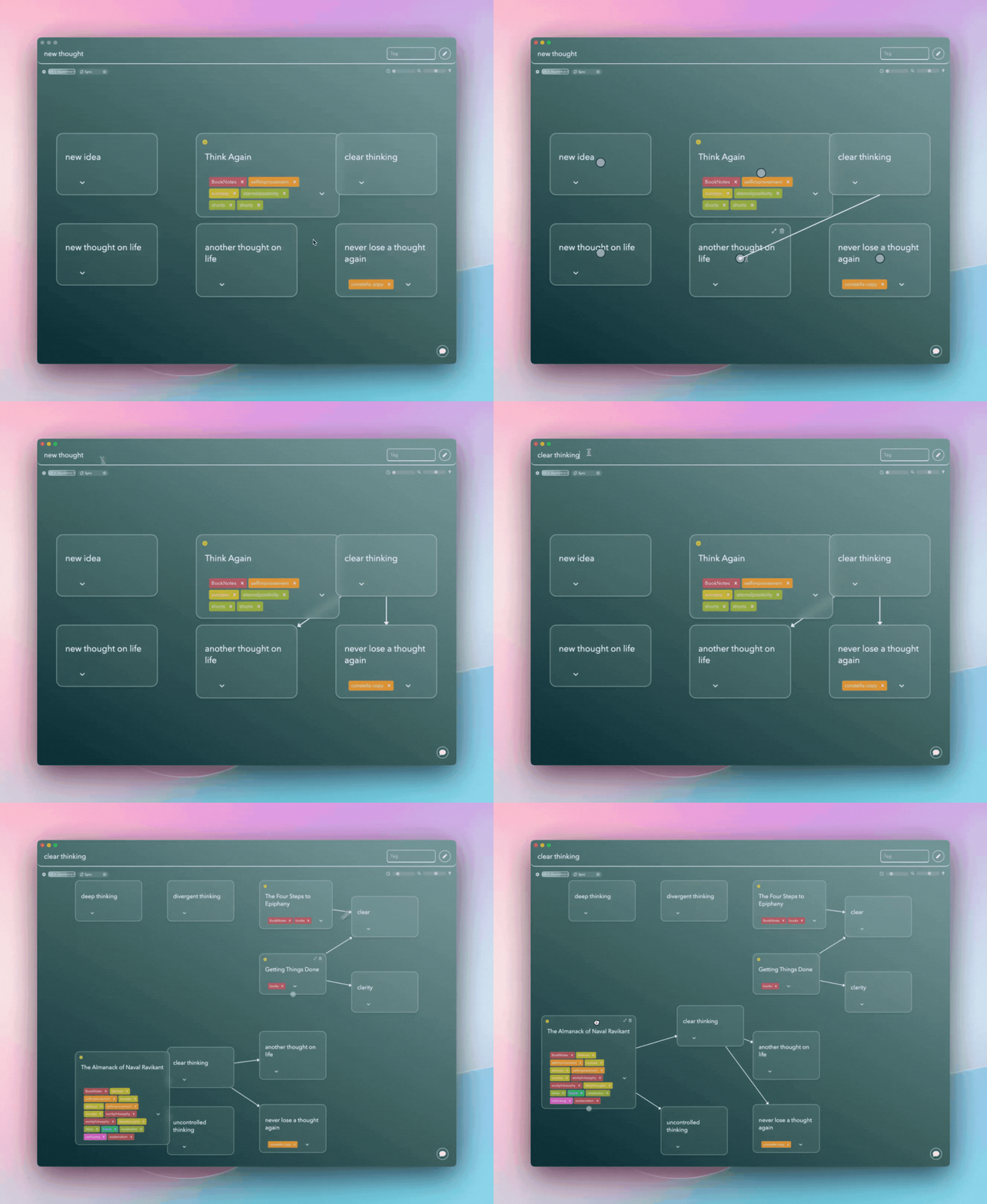
- Conceptual Clarity: The graph’s visual structure offers a panoramic view of all your notes and their relationships. Whether you're working on a research project, brainstorming, or organizing personal goals, the ability to map out ideas visually helps reinforce memory retention and enhance understanding.
- Enhanced Comprehension: Linking nodes encourages you to see connections you might otherwise miss, sparking creativity and deeper insights. For example, two seemingly unrelated ideas might reveal a groundbreaking connection, simplifying complex problem-solving tasks.
Traditional tools often rely on rigid folder systems that bury information in layers of hierarchy. While these systems work for some, they can stifle creativity and make it hard to see how ideas connect. Moreover, document-based note-taking methods such as those used in Apple Notes, Notion, or Google Docs are becoming relics of the past due to their inherent limitations. These methods often lead to a cumbersome user experience that doesn't cater well to diverse learning styles or cognitive approaches.
Constella.App’s dynamic approach breaks these barriers, offering a tool that feels as natural as scribbling ideas on a whiteboard but with the added power of digital organization. This shift transforms PKM into an interactive, intuitive process accessible to everyone, regardless of their tech skills.
2. Quick Capture: Efficiency Across Devices and Moments
With its quick capture capabilities, Constella.App ensures that no idea is lost, no matter where or when inspiration strikes. Whether you’re commuting, in a meeting, or lounging on your couch, this feature allows you to effortlessly jot down thoughts across platforms like Windows, macOS, Android, and iOS.
- Ease of Use: Designed for speed and simplicity, the app eliminates the usual roadblocks of cluttered menus or confusing workflows. A clean, intuitive interface lets you focus on capturing ideas instead of fiddling with settings.
- Always Synchronized: Your notes are instantly updated across devices, ensuring consistency whether you’re brainstorming on your phone or refining ideas on your laptop.
This feature is a lifesaver for those juggling multiple projects or working on the go. Imagine drafting a note during your morning commute and revisiting it later on a larger screen to expand your ideas. By prioritizing accessibility and speed, Constella.App supports your creative process without adding unnecessary friction. It’s a tool that adapts to your life, not the other way around.
3. AI-Powered Search: Smarter Navigation for Effortless Retrieval
Constella.App leverages an AI-powered search that makes finding and connecting ideas feel almost magical. Instead of sifting through endless notes, you can locate what you need in seconds while uncovering new connections that deepen your understanding.
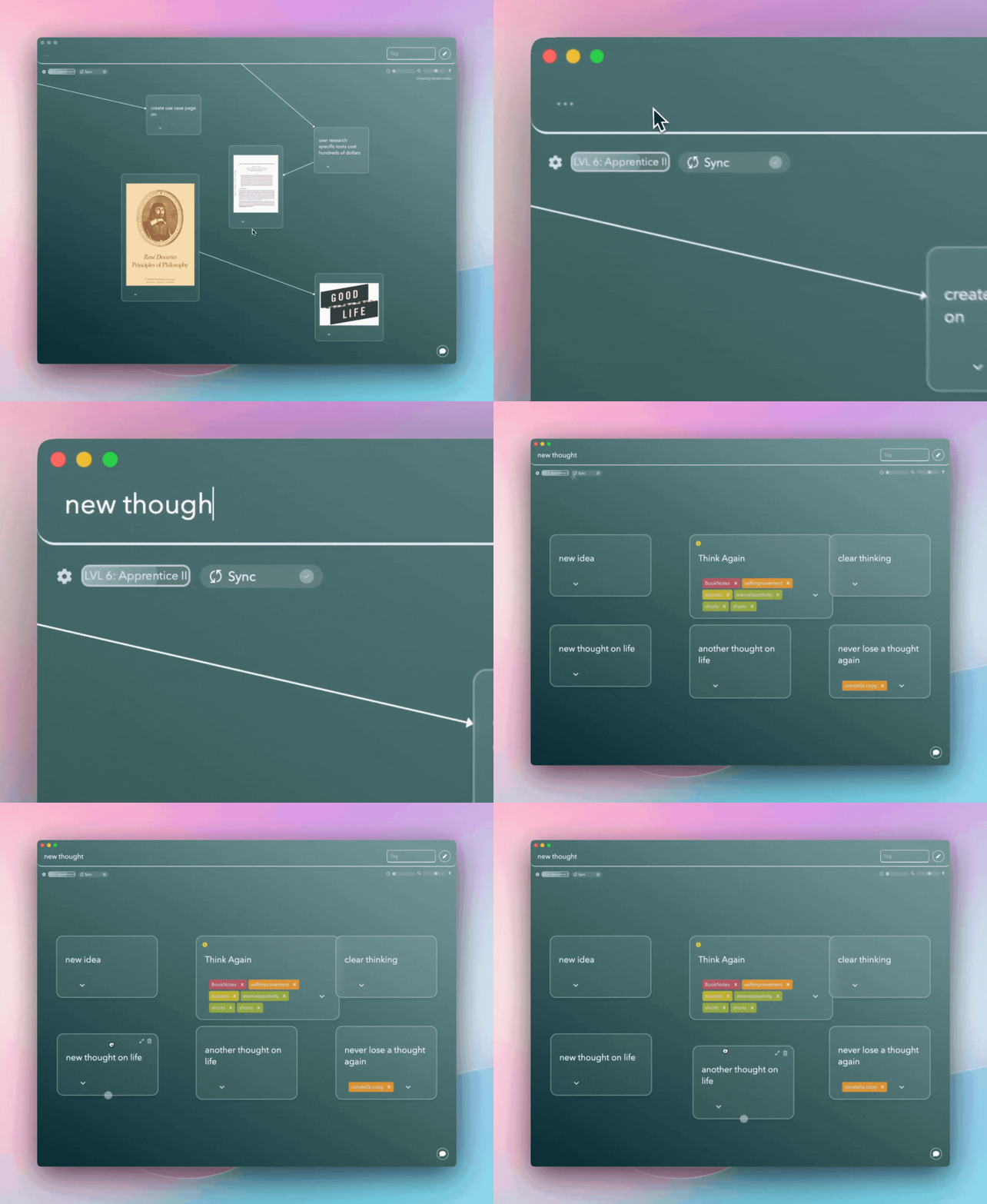
- Smart Suggestions: As you type, the AI anticipates your needs, surfacing related notes and connections. This not only saves time but also enhances critical thinking by presenting ideas you might have overlooked.
- Visual Note Linking: Beyond text search, the app visually connects related ideas on the graph, helping you see the relationships at a glance. This feature transforms the way you approach information retrieval, making it an active, insightful process rather than a mundane chore.
Constella.App goes further by integrating additional tools like Stella Chat (a conversational assistant), export/import options, and a traditional text search feature. These extras ensure that the app caters to diverse workflows, whether you’re a student, professional, or tech skeptic. Its user-focused design strikes the perfect balance between sophistication and simplicity, making knowledge management intuitive and rewarding.
Visual Thinking Techniques in Constella.App
At its core, Constella.App embraces visual thinking strategies to turn abstract ideas into structured, intuitive visual maps. This approach is particularly transformative for tech skeptics, offering a way to manage information without wading through technical jargon or rigid systems. By visually organizing thoughts, users can see connections more clearly, enhancing memory retention and comprehension.
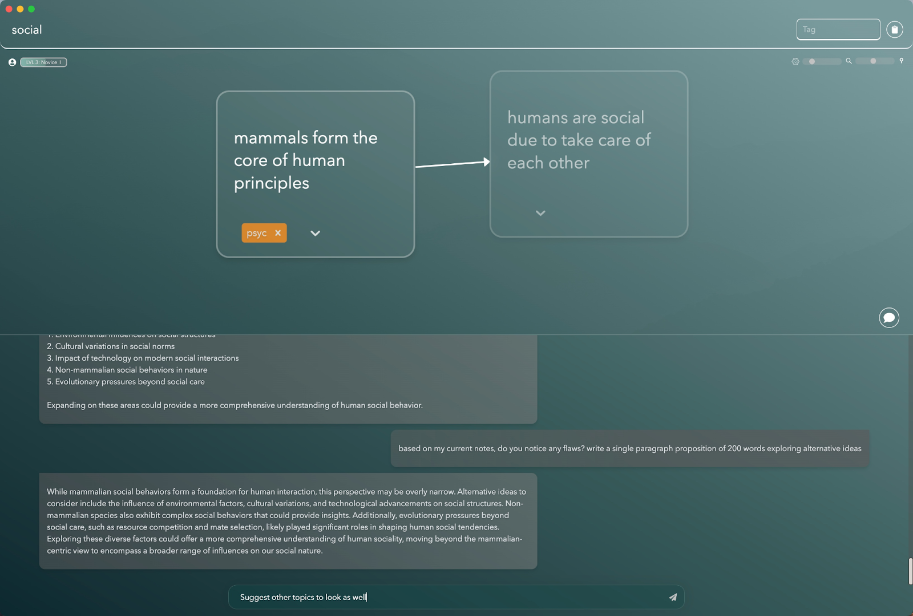
Practical Implementation Tips:
- Start Small: Begin by sketching out one idea or project. Break it into smaller components and connect them visually to form a foundational structure.
- Leverage Connections: Use the infinite graph interface to link related concepts. This fosters a holistic understanding by showing how ideas interrelate.
- Add Color and Icons: Use colors or icons to group similar themes, making your visual maps both functional and visually appealing for quick navigation.
Jotting View and Visual Graphs: A Dynamic Duo
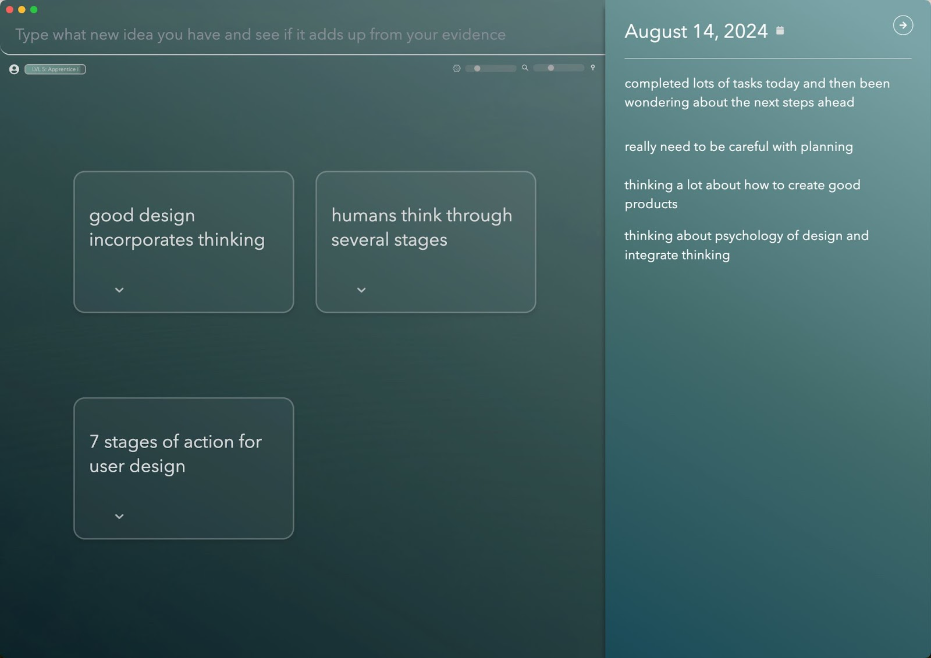
The jotting view feature supports quick, no-frills note-taking, ideal for capturing ideas on the fly. Combined with visual graphs, users can organize and refine these notes into structured maps, bridging the gap between traditional note-taking and sophisticated mind-mapping tools.
This synergy enhances brainstorming and decision-making. Users can rapidly shift from capturing raw thoughts to seeing connections at a glance, fostering creativity and making problem-solving more intuitive. These features demystify complex processes, making Constella.App approachable for anyone seeking a balance between simplicity and utility.
Importing and Exporting Options: Ensuring Data Ownership and Efficiency
Constella.App prioritizes user ownership with its robust importing and exporting options. This feature ensures that users maintain control over their data, a critical aspect for those wary of cloud-based solutions. The built-in capabilities allow seamless movement of information into and out of Constella.App, giving users the freedom to manage their knowledge base without dependency on proprietary formats.
Managing data efficiently within Constella.App involves leveraging its intuitive features:
- Organize with Tags and Categories: Use tags to categorize information, making retrieval fast and straightforward.
- Regular Backups: Utilize export functions to create regular backups, safeguarding your knowledge against data loss.
- Mind Mapping Software Integration: Export visual graphs for use in other mind mapping software or share them with collaborators.
Applications in Various Fields
The role of mind mapping in brainstorming sessions is enhanced through Constella.App's flexible import/export options. This capability supports the application of visual thinking strategies across fields such as education, business, and creative industries. By enabling users to integrate these techniques effortlessly, Constella.App aids in decision-making and problem-solving processes.
This focus on user empowerment through efficient data management underscores Constella.App's commitment to simplifying PKM for non-techy users.
Conclusion
Constella.App is a next-generation personal knowledge management (PKM) tool that seamlessly combines innovation with simplicity, making it a game-changer for tech skeptics. Designed with accessibility in mind, it bridges the gap between advanced technology and ease of use, empowering non-tech-savvy users to manage their ideas and tasks effortlessly.
For those hesitant to embrace complex tools, Constella.App offers intuitive features like the infinite graph interface, quick capture functionality, and AI-powered search. These capabilities transform PKM from a daunting chore into an intuitive and engaging process, proving that effective productivity solutions don’t need to be overwhelming.
Whether you're looking to enhance your productivity, streamline idea management, or simply regain control of your tasks, Constella.App delivers a straightforward experience without sacrificing powerful functionality. Dive into its features and discover how this tool can redefine your approach to staying organized and focused.
FAQs (Frequently Asked Questions)
What is Constella.App?
Constella.App is a next-generation personal knowledge management (PKM) tool designed specifically for non-tech-savvy users. It simplifies the process of managing personal knowledge with innovative features and a user-friendly design.
How does the infinite graph interface benefit users?
The infinite graph interface in Constella.App allows users to visualize connections between notes, aiding memory retention and critical thinking. This contrasts with traditional linear note-taking methods, making it easier to see relationships and organize information.
What are quick capture capabilities in Constella.App?
Quick capture capabilities enable users to easily add thoughts and materials from various devices, including Windows, Android, iOS, and Mac. This feature ensures that users can quickly jot down ideas on-the-go, enhancing productivity.
How does AI enhance search functionality in Constella.App?
AI-powered search functionality in Constella.App improves the retrieval process by surfacing related notes as users type. This enhances efficiency by allowing users to find relevant information quickly and effectively.
What is the jotting view feature in Constella.App?
The jotting view feature allows users to type quickly while simultaneously viewing visual graphs. This combination improves the overall user experience by helping organize thoughts more effectively during brainstorming sessions.
Why is data ownership important in Constella.App?
Data ownership is crucial as it allows users to manage their information efficiently. Constella.App includes built-in importing and exporting options, ensuring that users have control over their data and can easily move it as needed.
Want more insights like this?
Subscribe to get short productivity tips and useful summaries of new tools every week.
Want more insights like this?
Subscribe to get short productivity tips and useful summaries of new tools every week.


